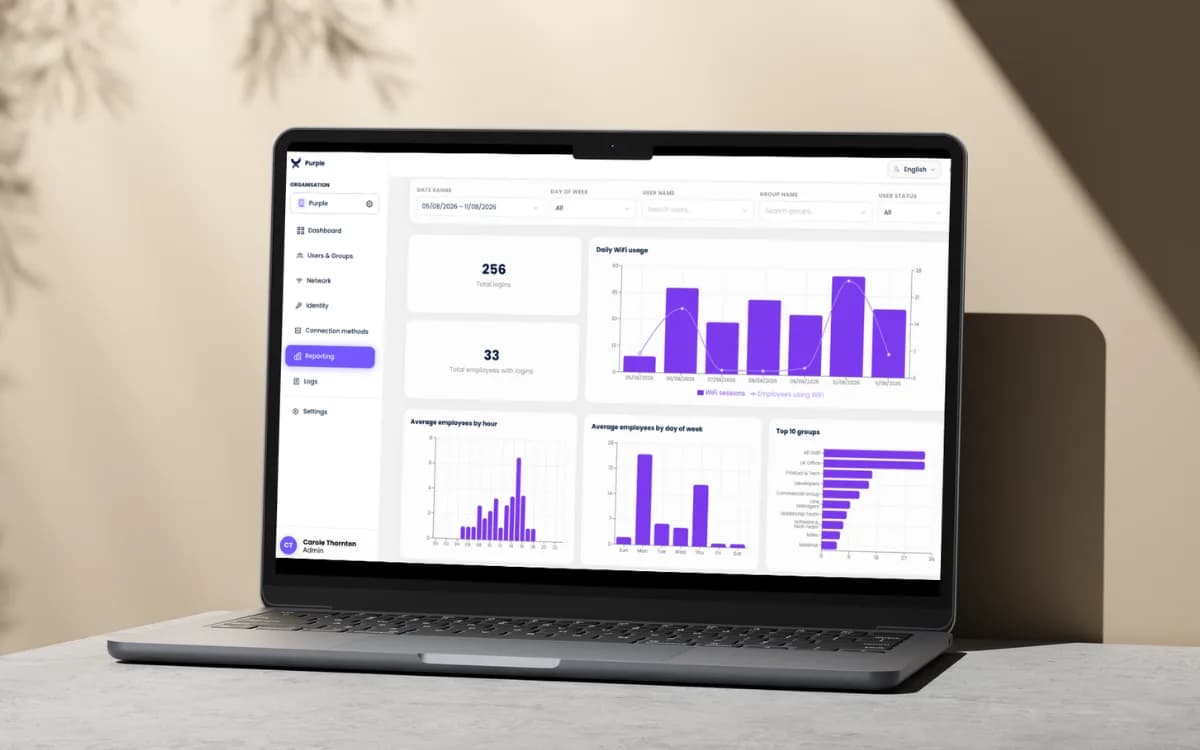
Certificate-based Staff WiFi via MDM: now live in the Purple Platform
Purple now supports certificate-based WiFi via MDM. Push WiFi certificates through Intune, Jamf or JumpCloud for zero-touch staff WiFi access.
How many devices are connected to the internet? See current estimates, UK figures, how counts are measured and what they mean for capacity and security.
No regulator or statistical body runs a live census of every device with an internet connection, and published trackers disagree widely on the global total because each one defines "connected" differently. The UK figure from Ofcom reporting on UK connectivity is firmer ground: just over 26.5 million active IoT connections on mobile networks in 2024.
Popular advice tells you to find one figure, add headroom and design from there. That gets the logic backwards. The number you quote depends on what someone chose to count, when they counted it, and whether they meant devices owned, powered on, joined to a network or actively transmitting. If you plan WiFi, guest access or multi-tenant networking for clients, the question that matters is narrower: how many clients will be associated, authenticated and sending traffic in the busiest hour on the network you run, and how many identities sit behind them. Design for that peak and the headline total stops mattering.
The accurate answer is a qualified range. No regulator or statistical body runs a live census of every endpoint with an internet connection, so published totals are built from shipments, carrier telemetry and household surveys. Any global figure needs three qualifiers before it is quotable: the tracker, its year and its definition. Editions revise methods and older totals, so the same source can produce different answers a year apart.
The UK anchor is narrower and more recent. Mobile-network IoT connections reached just over 26.5 million in 2024, up 6.5% year over year. These are machine connections rather than ordinary handsets: sensors, meters and similar endpoints. Their traffic rose 11% to about 1.96 petabytes per month, still under 1% of total mobile-network data traffic.
The traffic share explains much of the confusion. A connection can exist all day while transmitting for seconds, so a tracker counting cellular modules, a survey counting smart-home products and a network count of IP holders are measuring different populations. Each can be defensible. None converts cleanly into the others without stating what was counted and when.
Ownership and load diverge in the same way. Registered cars indicate how many vehicles exist; cars on the motorway at 8am indicate congestion. A network plan lives closer to the second count.
Pace is the other trap. UK mobile IoT grew 6.5% in 2024 after a 31% rise in 2023, so extending one year's rate forward would have overshot. Growth continues, but category mix changes the shape of demand.
A device total shows how much hardware exists. The number that loads your network is how many devices transmit at the same time.
For design work, the denominator is concurrent load: associated clients, authenticated identities and radios transmitting in the busiest hour. Size a WAN link by throughput. Size address pools, authentication and support by connection density and identity count. Quote a global total only after saying which of those it represents.
A connected device is any endpoint with an IP address that can send or receive data over the internet. That covers a laptop, a thermostat, a printer, a badge reader and a soil sensor equally. The definition is broad enough to be useless on its own, which is why you need to separate four levels.
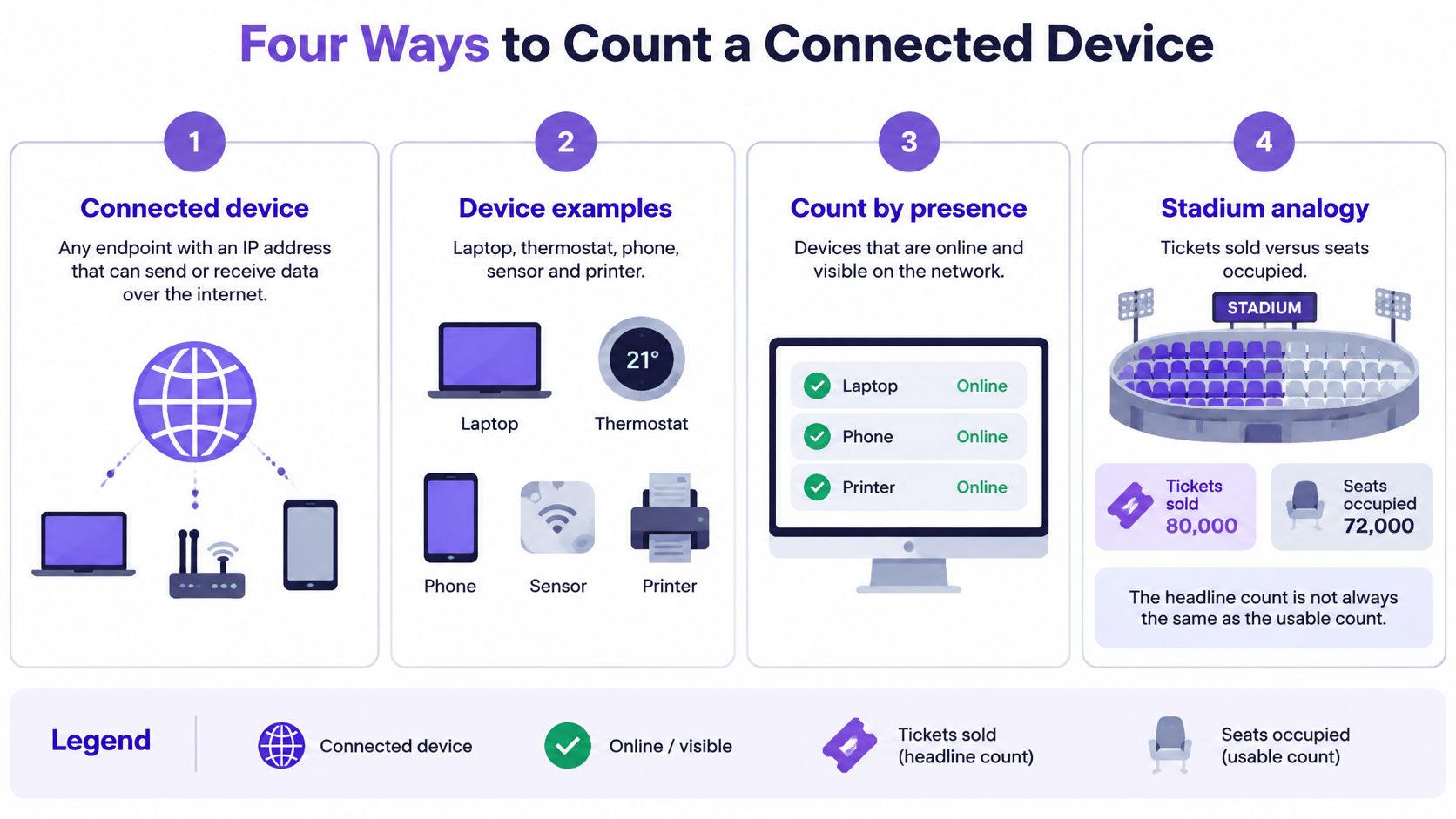
Think of a stadium. Tickets sold, seats occupied and people cheering are three different counts of the same crowd on the same night. All three are true. Only one tells you how loud it is.
Owned is the most generous level. It includes every device bought or registered to the household, whether it's plugged in or in a drawer. A smart TV, two phones, a tablet and a video doorbell all count. Ownership surveys stop here, so they describe market reach rather than network load.
Powered on narrows it to devices switched on, including standby. A speaker in standby, a thermostat and a console in rest mode sit here. They send almost nothing, but many stay joined to WiFi and keep holding an address lease, so they still consume network state.
Internet-connected means joined to a network and holding an IP address right now. Phones and tablets on home WiFi, plus a camera on the same network, are typical. This level drives client counts, access policy and address pool use, which makes it the starting point for access point design.
Actively transmitting is the narrowest and most useful for capacity. It counts devices sending or receiving data in a given minute. A TV streaming in the evening peak counts heavily. A sensor uploading a few bytes an hour counts barely at all, even though both are connected.
| Counting level | What it includes | Example in a UK home | Why it matters for networks |
|---|---|---|---|
| Owned | Every device bought or registered to the household | Smart TV, two phones, a tablet, a video doorbell | Shows market reach, not network load |
| Powered on | Devices switched on, including idle or standby devices | Speaker on standby, thermostat, games console in rest mode | Devices joined to WiFi still hold address leases |
| Internet-connected | Devices joined to a network and holding an IP address | Phones and tablets on home WiFi, camera on the same network | Drives client counts, access policy and address pool use |
| Actively transmitting | Devices sending or receiving data in a given minute | Streaming TV in the evening peak, a sensor sending a few bytes an hour | Drives throughput, congestion and peak planning |
Each level answers a different question. Sales teams want ownership. Support teams care about powered-on devices that can misbehave. Network engineers need the connected and transmitting counts, measured at peak, per access point and per site.
Rule: The level you count decides the answer you get.
No one has ever counted Britain's connected devices. Every long-range figure in circulation comes from a model, and the models disagree depending on which device categories they include. What is clear is that UK IoT device numbers have grown substantially since 2006, and the direction matters more than any single total: connectivity moved out of personal computing and into buildings, vehicles, utilities, security systems, appliances and business equipment, much of it unattended and automated.
That shift is why the headline question keeps getting asked. It is also why the answer keeps moving.
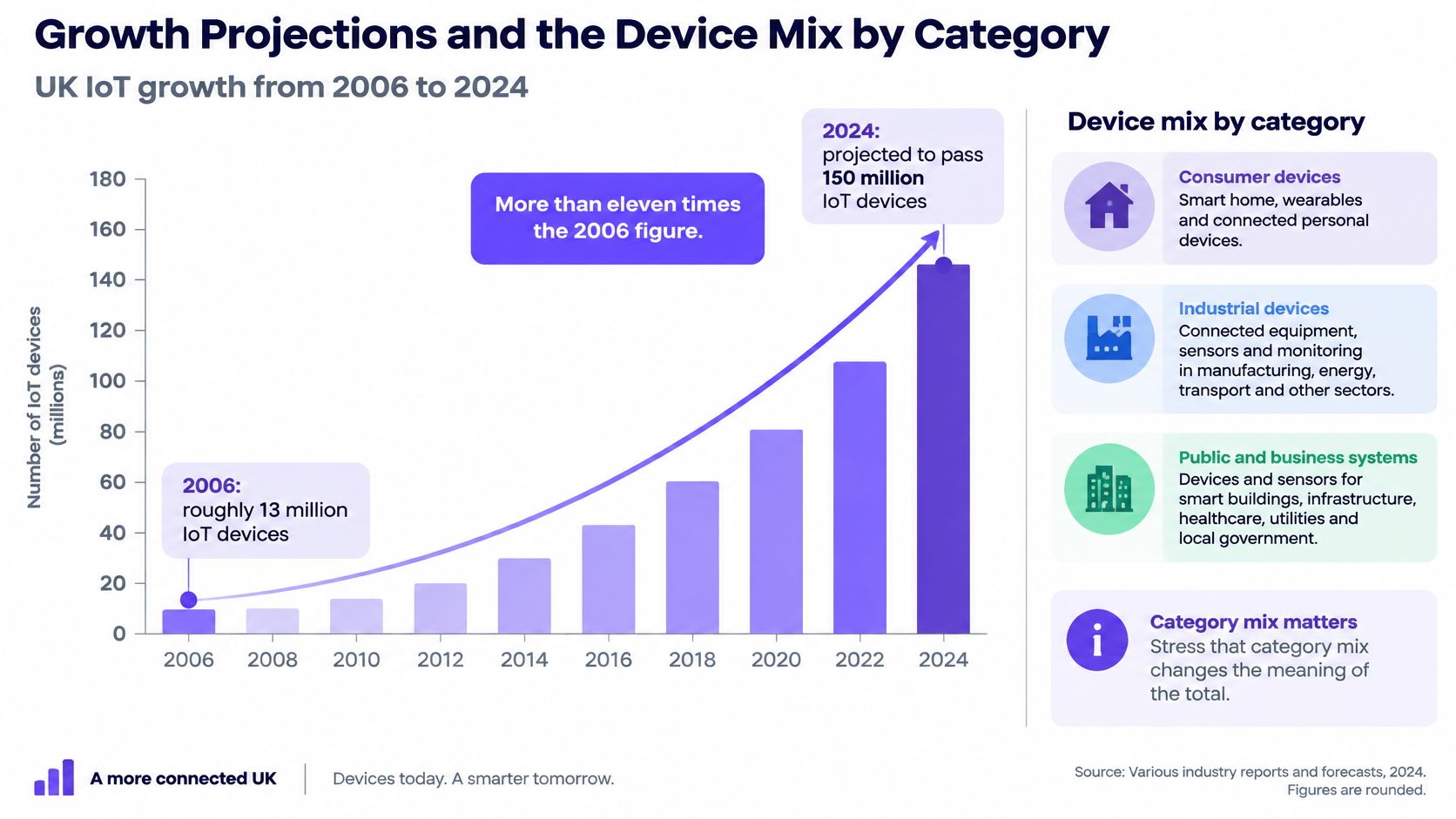
Totals hide where growth landed. According to Ofcom's Online Nation 2020 summary, 51% of UK adults lived in households with an Internet-connected smart television in 2020, up from 40% in 2019. In the same research, 22% of UK adults had a smart speaker at home, while 11% of UK households owned some type of smart-home technology.
Look at what that TV figure measures. Ofcom counts adults living in a home with a smart TV. Ask about personal ownership instead and the same living rooms produce a different number. That is why the table below keeps sources separate instead of blending them into a single trend line.
| Category | Ofcom 2020 | Deloitte 2025 | Aviva 2025 | YouGov August 2025 |
|---|---|---|---|---|
| Smart TV | 51% of adults in homes with one | 72% | Not reported | Not reported |
| Streaming device | Not reported | 37% | Not reported | Not reported |
| Voice assistant or smart speaker | 22% of adults have a smart speaker | 28% voice-assisted speakers | 45% | 35% |
| Wireless speaker | Not reported | 22% | Not reported | Not reported |
| Smart doorbell or camera | Not reported | Not reported | 29% doorbells, 29% cameras | 18% security cameras |
| Smart lighting | Not reported | Not reported | 25% | 12% |
| Smart thermostat | Not reported | Not reported | 20% | 14% |
| Smart meter | Not reported | Not reported | Not reported | 39% |
| Any smart-home product | 11% of households | Not reported | 79% of adults | Not reported |
Read across a row and the spread is the point. Smart speakers register anywhere from about a quarter to nearly half of respondents depending on who was asked and how the question was framed. A gap that wide inside one category shows how much of any published "growth rate" is a difference in definitions. Phones sit outside these household categories entirely, so if you track handset launches for client briefings, browse the latest phone news from NeoTeo alongside tracker data rather than treating shipments as connections.
Two conclusions survive the noise. First, entertainment and voice devices lead household adoption while lighting, heating and security trail. Second, every figure above measures access or ownership, which means adoption shares tell you the market widened but say nothing about how many devices will demand bandwidth at once. For figures beyond the UK, use a current global tracker, state its year and definition, and leave gaps empty rather than filling them with a number from an incompatible source.
Ask how many devices are connected to the Internet inside one building and the answer stops behaving like a national statistic. According to Deloitte's 2025 UK Digital Consumer Trends survey, smart TVs reached 72% penetration, video-streaming devices 37%, voice-assisted speakers 28% and wireless speakers 22%. Aviva's 2025 research found 79% of UK adults owned at least one smart-home product, including smart speakers at 45%, smart doorbells and cameras at 29% each, smart lighting at 25% and smart thermostats at 20%.
You can't add those percentages into a device count. They're shares of people, they overlap heavily, and neither source reports how many devices were online simultaneously. What they tell you is that a location with few people can still present many network identities.
| Setting | Typical device mix | What inflates the count |
|---|---|---|
| Family home | Phones, laptops, smart TV, speaker, doorbell, thermostat | Every resident's phone plus visitors' devices |
| Student halls or build-to-rent | Per-resident phone, laptop, console, TV and wearable | Several identities per resident and frequent move-in and move-out |
| Hotel bedroom | Guest phone, laptop, tablet and streaming TV | Check-in and check-out churn |
| Hospitality or retail venue | Guest phones, card terminals, sensors and cameras | Short sessions and many unmanaged devices |
| Office | Staff laptops and phones, printers, badge readers and meeting-room displays | Managed and unmanaged devices side by side |
Start with the family home. Four residents might produce four phones, two laptops, a TV, a speaker, a doorbell and a thermostat before a visitor's phone joins. Headcount says four. The controller sees eleven clients, three of which nobody actively manages.
Student housing multiplies that effect. Each resident arrives with a phone, laptop, console and wearable, and move-in week delivers hundreds of new identities in a few hours. By summer the same building falls quiet. A design based on beds, or on an annual average, fails in September and is oversized in July.
Hotels and retail venues add churn instead of permanence. Sessions are short, devices appear once and never return, and operational hardware like card terminals and cameras shares airtime with guests. Offices look tidier, but personal phones sit beside enrolled laptops, printers and badge readers, so managed and unmanaged populations overlap on the same radios.
Report device density per household, room, tenant or venue, and state which counting level each figure uses. That's the unit clients can act on. A national total can't tell a landlord whether the third floor needs another access point.
Household data shows why subscriptions are a poor proxy for load. Ofcom's 2022 digital exclusion review reported that by the end of 2021 internet access reached about 94% of UK homes, with smartphones present in 91% of households, tablets in 65% and PCs in 47%. It also found 6% of homes, approximately 1.5 million, had no internet access, and device poverty affected 7% of adults through limited access caused by not owning a PC, laptop, tablet or smartphone.
So a connected home usually holds several endpoints at once, while a minority holds none. Averaging across both gives you a number that describes neither. You need metrics taken from the network itself.
| Metric | How to measure it | What it tells you |
|---|---|---|
| Peak concurrent clients | Count associated clients per access point every five minutes in the busiest hour | Sets access point count and client limits |
| Device churn | New associations and departures per hour | Shows load on DHCP and authentication at check-in or move-in |
| DHCP pool headroom | Leases in use compared with pool size | Prevents address exhaustion during peaks |
| IoT connection density | Low-rate endpoints per access point or per floor | Shows signalling and roaming load, separate from bandwidth |
| Aggregate throughput | Peak Mbps per access point and on the WAN link | Shows capacity needed for video and cloud sync |
| Unmanaged share | Devices without an enrolled identity | Shows security exposure and support burden |
Keep those two apart. Low-rate IoT endpoints send small, intermittent payloads, so they load association tables, DHCP and roaming signalling far more than they load bandwidth. A handful of video streams does the opposite and saturates the WAN link while barely troubling the controller. Buying a bigger circuit won't fix an exhausted address pool, and adding access points won't fix a congested uplink.
If your client's complaint is slowness rather than failed joins, work through the radio and backhaul causes in this guide to building a faster network before you assume device count is the culprit.
Sampling rule: Record peak concurrent clients every five minutes during the busiest hour across a typical week, then size access points and address pools to that figure plus headroom agreed with the client.
Take these measurements before you buy hardware. A week of controller data costs nothing and regularly shows that the constraint is one corridor, one pool or one uplink, not the whole estate.
A device count tells you how many radios a network serves. It says nothing about how many of those devices anyone can name, patch or account for, and that gap is where the incidents come from.
The awareness side of that gap is measurable. YouGov's August 2025 UK data shows only 24% of Britons describe themselves as fully aware and knowledgeable about smart-home appliances. Ownership clusters in smart meters at 39%, smart voice-controlled speakers at 35%, security cameras at 18%, thermostats at 14% and lighting systems at 12%. People are adding devices faster than they're learning to administer them, and every one of those categories is a networked endpoint with an owner who can't answer basic questions about it.
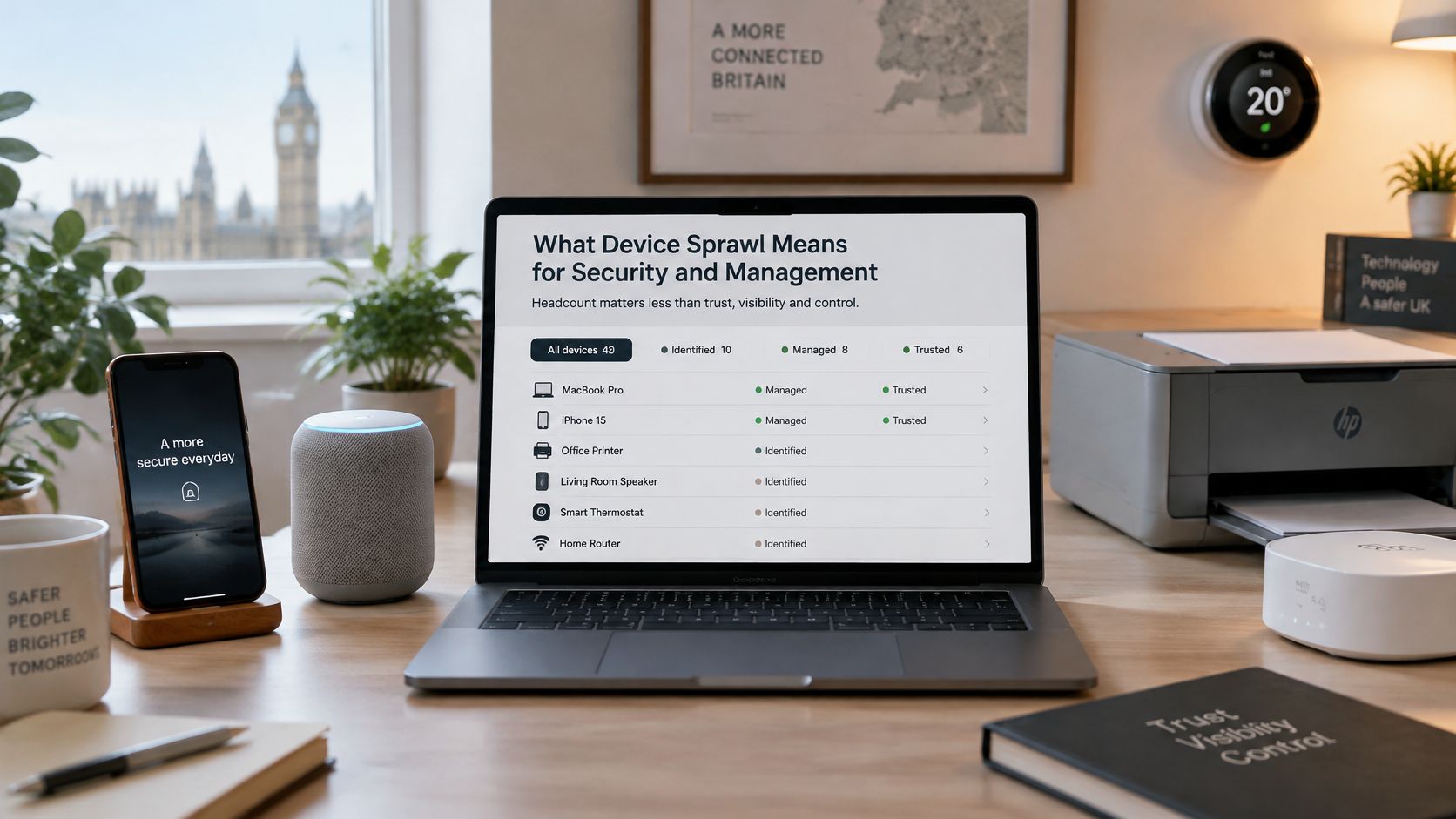
The flow of new endpoints isn't slowing. Consumer appetite for smart technology keeps growing year on year, which means heterogeneous devices keep arriving through residents, guests and staff rather than through procurement. You can't stop that flow in a multi-tenant or hospitality setting. You can only decide what each device is allowed to reach.
A worked example shows why reach matters more than count. A venue runs 60 guest phones and 12 unmanaged cameras on one flat network. A single compromised camera can then see the back-office server, the till network and every guest device. Nothing about that failure appears in a bandwidth chart. It appears when someone asks why a camera could reach a file share at all.
That question only goes away when identity replaces shared credentials. Segmented, per-device access built on zero trust principles for WiFi lets you admit a device you don't manage while still confining it to the destinations it needs. The measure of progress is the share of endpoints holding an enrolled identity. When that percentage rises, exposure falls with it, whatever the headline device count does next.
Counting is only useful once it produces an inventory with owners and a design with limits. Work through these five steps in order, because each one depends on the output of the last.
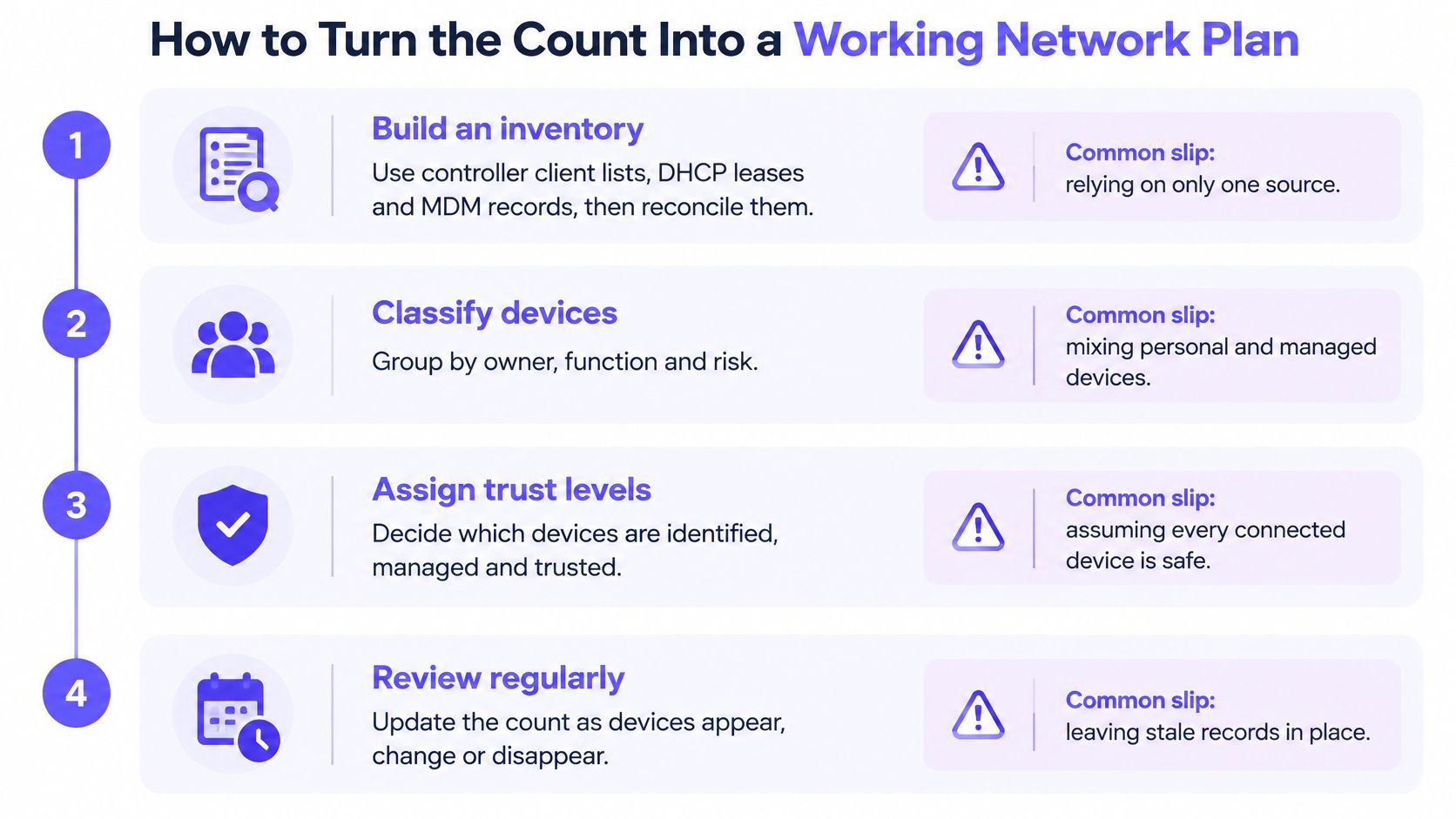
Build an inventory from three sources. Pull controller client lists, DHCP leases and MDM records, then reconcile them into one register keyed by MAC address, hostname and owner. Three sources matter because each one has blind spots. The common slip is trusting a single list, which misses devices that never request an address twice, use a static address, or appear only on a wired port the controller doesn't report.
Monitor against a baseline. Record two weeks of peak concurrency, churn and the busiest devices by traffic and by association count. Set alerts only for new unknown devices joining staff or operational segments. The slip is alerting on everything. Teams ignore a noisy feed within a week, and the one alert that mattered scrolls past unread.
Purple is one option here. It provides identity-based staff, guest and multi-tenant WiFi as a hardware-agnostic overlay, with access provisioned and revoked through directory services. Evaluate it against your existing RADIUS and controller tooling on how it handles onboarding, revocation and per-device policy.
A healthy plan has three fields filled in for every device: an owner, a policy and an end-of-support date. If any field is blank, that device is unmanaged by definition, however well it currently behaves.
Assign the ongoing work explicitly or it won't happen:
Measure unmanaged endpoints every month, not at project close. Device populations drift weekly in residential and hospitality estates, and a register that's three months old describes a network that no longer exists.
Commit to a design only after a measured audit. A published device count, however reputable the tracker, tells you nothing about the third floor of your client's building at 7pm on a Tuesday. Hardware bought against a national average gets returned, redeployed or blamed.
Run a two-week audit before any hardware or policy decision. Use the baseline from the monitoring step and record three things in one table the client can read without your help: the reconciled inventory, peak concurrency per access point, and the unmanaged share. Add churn and DHCP pool headroom where the venue has check-in or move-in peaks. Two weeks captures a full weekly cycle plus a repeat, which separates a genuine pattern from a one-off event.
Set the decision rule before you see the results. If the unmanaged share is high, or staff devices still rely on shared passwords, move the client to identity-based access first and add access points afterwards. Extra radios on an unauthenticated network give you a faster version of the same exposure, and they'll need rework once identity lands. If identity is already sound and the audit shows pool exhaustion or single-access-point saturation, capacity work comes first.
Be clear about who runs it. The MSP or ISP runs the audit, presents the findings and keeps the client relationship. The integrator checks the measured numbers against the venue build, cable runs and mounting positions, and flags where the physical site makes the design impractical. Splitting it that way stops the common failure where a sound design meets a building that can't host it.
Don't let the audit become a report that sits in a drawer. Agree targets at the start for peak concurrent clients, DHCP headroom and unmanaged share, then recheck against those same targets after the first change ships. Clients renew contracts on numbers they can see improving.
Schedule the audit this month. Pick the site with the most complaints, start the two-week baseline, and agree the three target metrics with the client before you quote a single access point.
Purple helps MSPs, resellers, integrators and ISPs turn device counts into identity-based staff, guest and multi-tenant WiFi, with passwordless access provisioned and revoked from the directory and per-device visibility across every site. If you're auditing a client's estate and finding unmanaged endpoints you can't yet identify or segment, visit Purple to see how the partner platform works white-labelled under your own brand.
Join 80,000+ venues already running on Purple. No targets, no minimums, just bigger deals.