Captive portal login explained for partners
Captive portal login, explained for partners: authentication flow, security and privacy limits, failure fixes, and when to drop the splash page.
What Is SSO Single Sign On for UK MSPs: protocols, WiFi use cases, risks and how to roll it out in 2026.
Single sign-on lets a person authenticate once with a trusted identity provider and then reach connected apps and networks without a separate password for each. Before UK central government collapsed that sprawl, services used approximately 191 different account-creation routes and 44 separate sign-in methods. That is the estate most partners still walk into: staff, guests, residents and contractors each holding another login, while the WiFi sits outside the directory.
The GOV.UK One Login announcement put numbers on the cost of that duplication. By July 2023 more than 1.5 million people had already proved their identity through the shared service, the identity-checking app had been downloaded more than 2 million times, and replacing duplicated login systems was expected to save over £700 million across three years, with more than 100 public services in scope by 2025. Scale like that is useful for a client conversation, but it does not make one login a security product. What is SSO single sign on, in a UK network brief, is an identity layer for mixed populations. Poorly governed federation can concentrate risk rather than remove it.
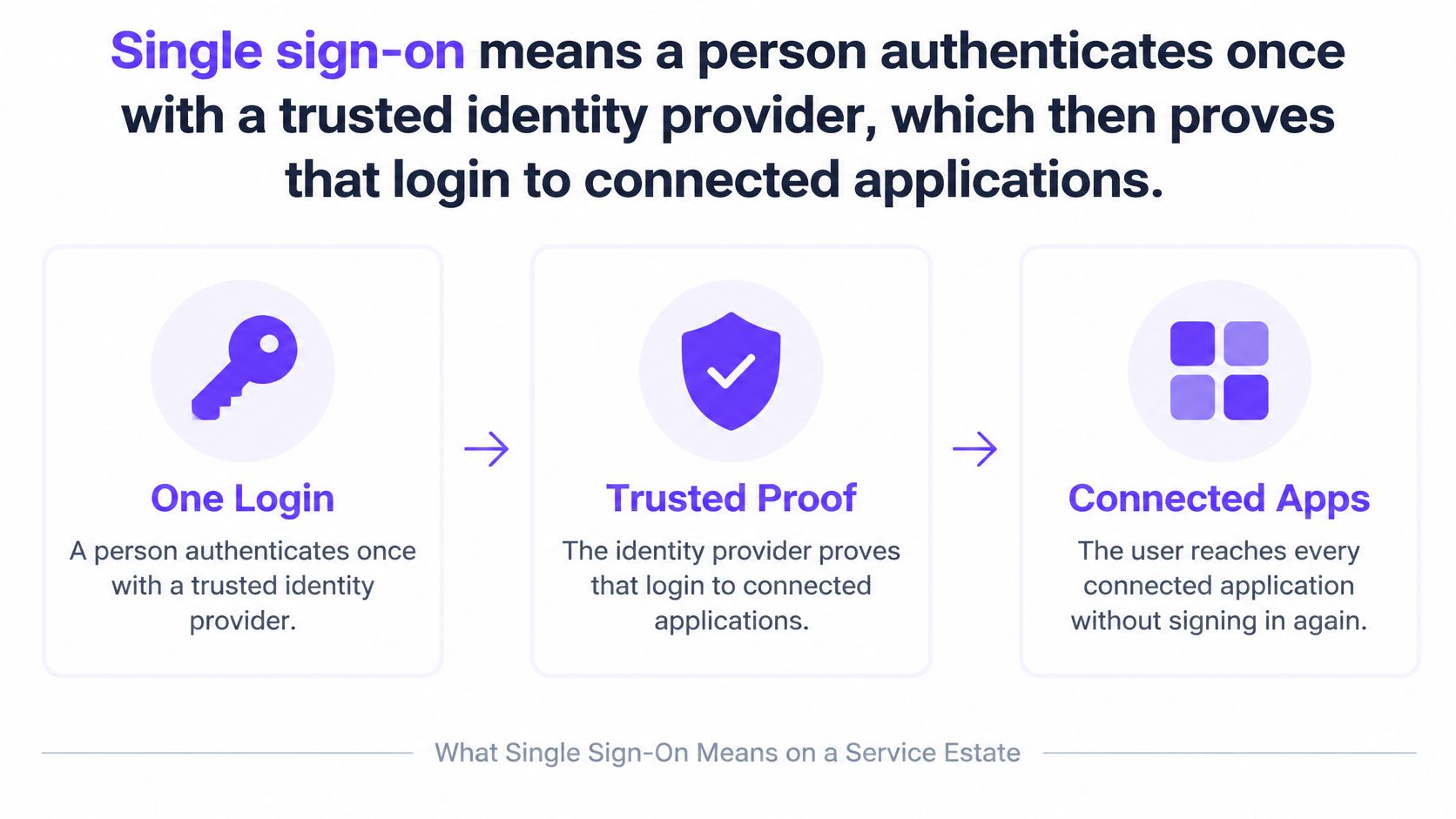
Say a clinic group runs payroll, a clinical system, email and a staff wireless network. Today a new nurse gets four accounts, a shared WiFi passphrase written on a cupboard, and a helpdesk ticket the week they leave. Single sign-on means that person authenticates once with a trusted identity provider, which then proves that login to connected applications, so they don't create a separate account or retype a password for each service.
Think of a building pass. Reception checks the badge once. Each floor still decides which rooms that badge may open. The badge is not a master key, and losing it doesn't automatically lock every door unless someone designed revocation that way.
Partners hear "login", "access" and "ID check" used as if they were the same job. They aren't.
Authentication is who you are at login. The identity provider checks a password, a passkey, a smartcard or another factor and says this session belongs to this account.
Authorisation is what you may do afterwards. Groups and roles decide whether that nurse can open payroll, join the staff SSID, or only read a rota. SSO doesn't set those permissions for you.
Identity proofing is a higher-assurance check that you are a real person, often with a document or a biometric match. Signing in again tomorrow is not the same check. Higher-risk services can still demand that step even after SSO is live.
GOV.UK One Login is the national picture of that split, not a history lesson. Trials of the first government services began in late 2021. The Government Digital Service account of 50 services shows how far a shared authentication platform can reach once many services trust one journey. By October 2024, 50 services were using One Login, more than 3 million accounts had been created, over 6.2 million identities had been issued, and the checking app had been downloaded more than 8.8 million times. The same reporting said One Login had confirmed the identities of more than 3.9 million people since the 2021 launch.
| Milestone | Figure |
|---|---|
| Account-creation routes before consolidation | about 191 |
| Separate sign-in methods before consolidation | 44 |
| People who had proved identity by July 2023 | more than 1.5 million |
| Services using One Login by October 2024 | 50 |
| Accounts created by October 2024 | more than 3 million |
| Identities issued by October 2024 | over 6.2 million |
| Identity-checking app downloads by October 2024 | more than 8.8 million |
| Identities confirmed since the 2021 launch | more than 3.9 million |
Those milestones matter to an MSP because they describe a service estate, not a single company app. One identity and one authentication journey can sit in front of many services, while each service keeps its own permissions and functions. Account creation, proofing, application integration, accessibility and recovery all have to work for the people who turn up.
SSO removes the repeated sign-in. It does not, by itself, prove that a higher-risk service should trust the person behind the account.
For a UK client, keep that operational split in the statement of work. The shared login retires duplicate passwords. A benefits claim, a clinical record or a payment approval may still need a separate identity-assurance step before the application opens the sensitive action.
Walk one login before you compare brands of token. A member of staff opens a relying service, such as a SaaS app or a wireless onboarding flow. That service sees no session, so it redirects the browser or issues a network challenge. The identity provider (IdP) authenticates the person. It then sends a signed assertion or token back. The application receives proof of authentication. It does not receive, and should not store, the primary enterprise password.
The NCSC guidance on using SaaS securely is blunt about the alternative. UK organisations should federate rather than synchronise passwords into cloud applications, because authentication stays in the organisation's controlled identity system and can add factors such as device identity or smartcards. Copying the directory password into every app recreates the sprawl SSO was meant to end.
Every connected service has to validate the proof, not merely accept that a login screen appeared. In a pilot, fail the integration if any of these are skipped.
SSO centralises authentication. It doesn't automatically centralise authorisation. WiFi, SaaS and internal resources still need least-privilege group and role policies. The same directory can drive joiner, mover and leaver work. Disable the account once, and integrated services lose that person more consistently than a technician hunting separate logins on a Friday afternoon.
| Standard | Job it actually does | What is issued | Typical use | Password handling |
|---|---|---|---|---|
| SAML 2.0 | Enterprise federation to a relying service | Signed XML assertion | Staff SaaS and some portal or RADIUS bridges | App never stores the enterprise password |
| OAuth 2.0 | Delegated authorisation, not authentication by itself | Access token and optional refresh token | API access and app-to-app consent | Not a sign-in protocol on its own |
| OpenID Connect | Modern sign-in built on OAuth 2.0 | ID token (JWT) plus access token | Web apps, mobile apps and partner portals | Identity provider holds credentials; the app validates the token |
| RADIUS with 802.1X | Network admission before an IP address is useful | EAP result or device certificate | Staff WiFi on WPA2-Enterprise or WPA3-Enterprise | Directory or certificate, not a shared WiFi password |
SAML 2.0 is the workhorse for enterprise federation. The IdP signs an XML assertion, the SaaS app trusts it, and staff reach HR, finance or a partner portal without a second password. It is verbose, and mobile apps often prefer something else, but many UK line-of-business platforms still speak it first.
OAuth 2.0 is easy to mis-sell. It delegates authorisation. A user, or an admin, grants an app limited access to an API. An access token, sometimes with a refresh token, is not by itself a statement of who logged in. If a vendor says "we do SSO via OAuth" and cannot show an identity layer on top, ask what they are proving.
OpenID Connect is that sign-in layer. It sits on OAuth 2.0 and adds an ID token, usually a JSON Web Token, alongside the access token. Web apps, mobile apps and partner portals use it because the app can validate the token without ever seeing the directory password. Claims such as email, name and groups travel with the proof, which is why a stable identifier matters more than a display name that HR might edit.
RADIUS with 802.1X is the row clients forget until the wireless survey. Here the "application" is the WiFi itself. The device authenticates before an IP address is useful, using EAP and either directory credentials or a device certificate, on WPA2-Enterprise or WPA3-Enterprise. A shared passphrase is not SSO. It is a secret the whole building knows.
Browser SaaS usually means SAML or OpenID Connect. An API consent flow means OAuth. Staff WiFi means 802.1X tied to the same directory, not a shared passphrase.
A mover who changes department should change groups in one place. Those groups should update the SaaS role and the wireless policy. If the WiFi still uses a laminated password, the directory change never reaches the air.
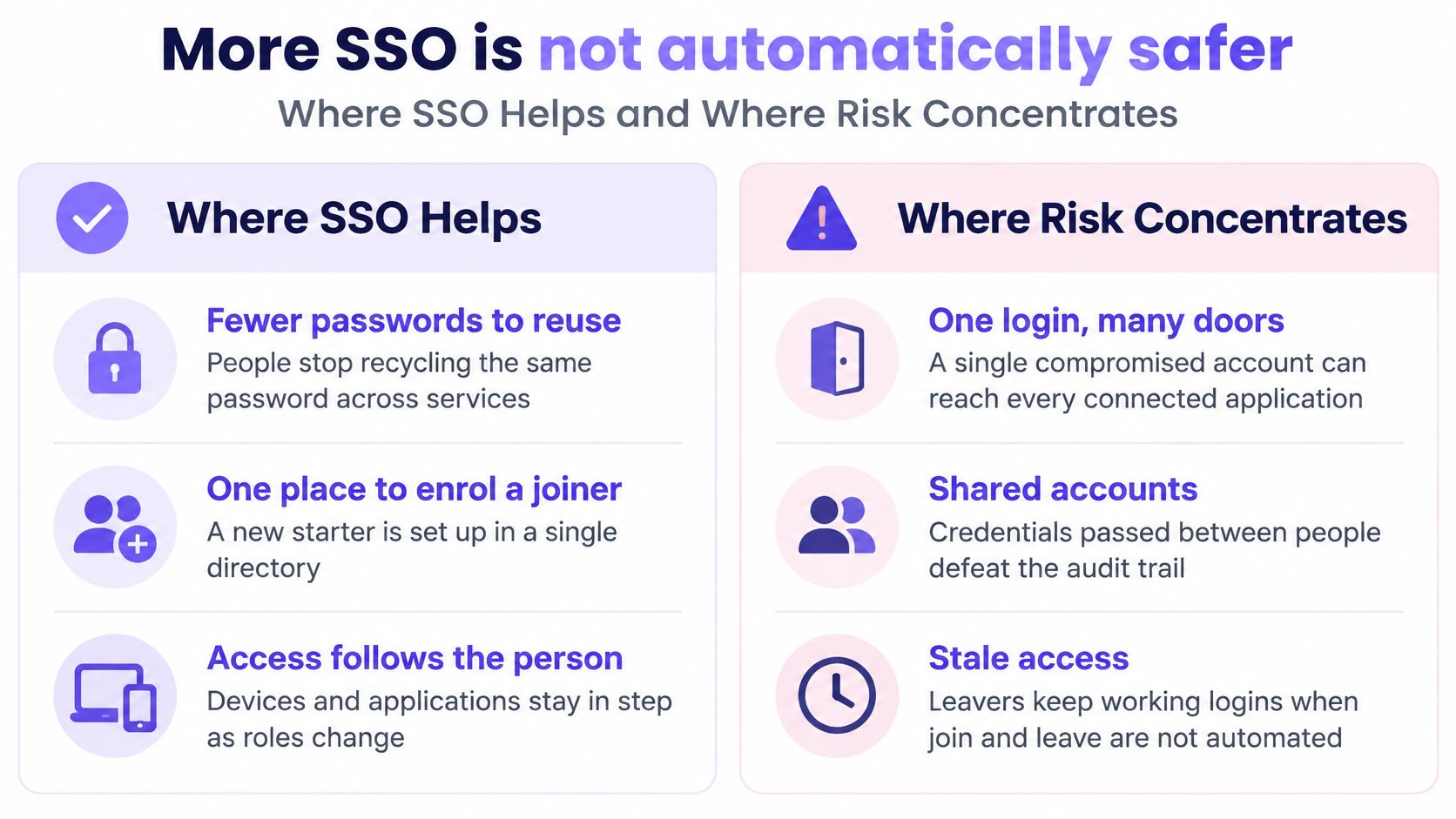
More SSO is not automatically safer. A single login can retire password reuse and still hand an attacker every connected door if that one account is weak, phished or left active after someone leaves.
The gains are real, and they are operational. People stop keeping a private spreadsheet of WiFi and SaaS passwords. A joiner is enrolled in one directory instead of five admin consoles. A large app estate can share one login journey. Helpdesk resets fall when staff aren't locked out of a password they invented for a portal they use twice a year. Leavers are cleaner when disablement in the directory is the trigger, rather than a checklist someone finishes next week.
The Cyber Security Breaches Survey 2025/26 shows why convenience must not be briefed as strength. Only 47% of UK businesses required two-factor authentication in 2025/26, even though 43% reported a cyber breach or attack during the previous 12 months. Centralising a login that almost half of businesses don't protect with a second factor doesn't shrink the attack. It aims it.
| Control | What it does | What it does not do | What the MSP still designs |
|---|---|---|---|
| Single sign-on | One authentication reused across connected services | Make the login strong or decide permissions | Least-privilege groups and correct token checks |
| MFA or passkeys | Adds a second or phishing-resistant factor at the identity provider | Connect applications or admit a device to WiFi by itself | Pair the factor with the same IdP used for SSO |
| Passwords | A legacy secret some apps still require | Scale joiner, mover and leaver work | Do not synchronise the enterprise password into each SaaS app |
| Zero trust | Device, context and continuous access decisions | Replace the identity provider or the login | Conditional access, monitoring and rapid revocation |
SSO answers "have we already authenticated this account for this estate?" MFA or a passkey answers "was that authentication hard to phish?" A password remains a legacy secret some apps still demand. It should stay inside the identity provider, not be copied into each cloud app. Zero trust then asks whether this device, this location and this session should receive a token at all, and how fast that decision can be reversed.
A compromised identity-provider account can open many services at once. That is the trade-off to say out loud in the proposal. Availability is the other half. If the IdP is down, every app that cannot fall back is down with it. Identity-provider uptime becomes a dependency you didn't have when each app kept its own login.
Plan a small set of break-glass accounts before go-live, not during the outage.
Legacy systems left outside the federation stay outside central policy. A building-management PC with a local account, a CCTV recorder, or an old finance tool that "can't do SAML" will not hear that you disabled a user. List them. Either vault their passwords and rotate them, or accept that they are a separate risk with a named owner.
Access revocation has to reach applications and the network, not just the directory screen. Disabling the account should kill new SaaS sessions and stop the wireless profile from authenticating. If the access point still trusts a passphrase, directory disablement never touches the air. Treat wireless admission as part of the same access programme, including the hardening covered in access point security, rather than as a separate quote that happens to share a building.
Position SSO inside an access-control programme. It is not a standalone security product you can drop in and walk away from.
A standard corporate flow assumes one employee, one laptop, one modern phone and a confident user. Venues don't look like that. Design for four populations, and test the login against the person who doesn't fit the directory.
Staff need a directory account, automatic join and leave, and access that follows them across a handset, a laptop and a shared ward PC. Their SSO journey can be SAML or OpenID Connect into line-of-business apps, with 802.1X on the staff SSID so the same disablement drops the wireless profile.
Guests and visitors often have no corporate account at all. A conference delegate, a parent at a school open evening, or a patient in a waiting room cannot be pushed through payroll-style federation. Their journey is a one-time opt-in and, if you design it well, a silent reconnect on the next visit. That is a different identity from the nurse's directory account, even when both people stand in the same foyer. The captive portal login pattern is where that first visitor step usually lives, and it should not pretend to be employee SSO.
Residents in student housing, hotels and multi-dwelling units need a private network that feels like home. Their phones, TVs and consoles should stay isolated from the flat next door. A housing account or an in-app network pass fits. A company directory does not.
Contractors need a time-boxed identity, not a permanent licence. A fire-alarm engineer on site for two days should expire on Tuesday night without a ticket to "please remove Dave from WiFi".
The digital identity sectoral analysis 2025 challenges the assumption that everyone can complete an app-and-biometric journey. 33% of surveyed British residents reported access challenges, and 28% had low digital access. People with lower digital skills or access were less likely to have used a digital identity. Those with the lowest digital access were 21 percentage points less likely than the overall population to report using one.
Inclusion monitoring in the same publication found that 66% of certified services offered only single-use identity or attribute checks rather than reusable identities, while 60% met WCAG 2.0 AA or higher. A reusable staff login is not what most certified identity services even offer, and accessibility at AA is still not universal. If your only path is "download the app, scan a face, then wait for email", you have designed for the confident majority and locked out everyone else.
Newcastle's free single sign-on WiFi is a useful city-scale picture of mixed users. It serves residents, visitors, students, and 1,000 local businesses. One radio network, four reasons to be there, and no honest design that treats all of them as employees.
Run these against a real device in the venue, not against a lab laptop that already has internet.
Name the population, the identity they already have, and the fallback if that identity fails. If you can't fill those three lines, the SSID isn't ready to quote.
Judge the design by who gets on, who is kept off, and how fast a leaver or a departed guest loses access. A long list of connected applications doesn't answer that.
Start from the directory, not the splash page. Hire, role and leave events already live somewhere, commonly Microsoft Entra ID, Google or Okta. That system should be the source the network trusts. Groups map to applications and to network policy, so a mover changes VLANs or app roles because their group changed, not because someone emailed a new password.
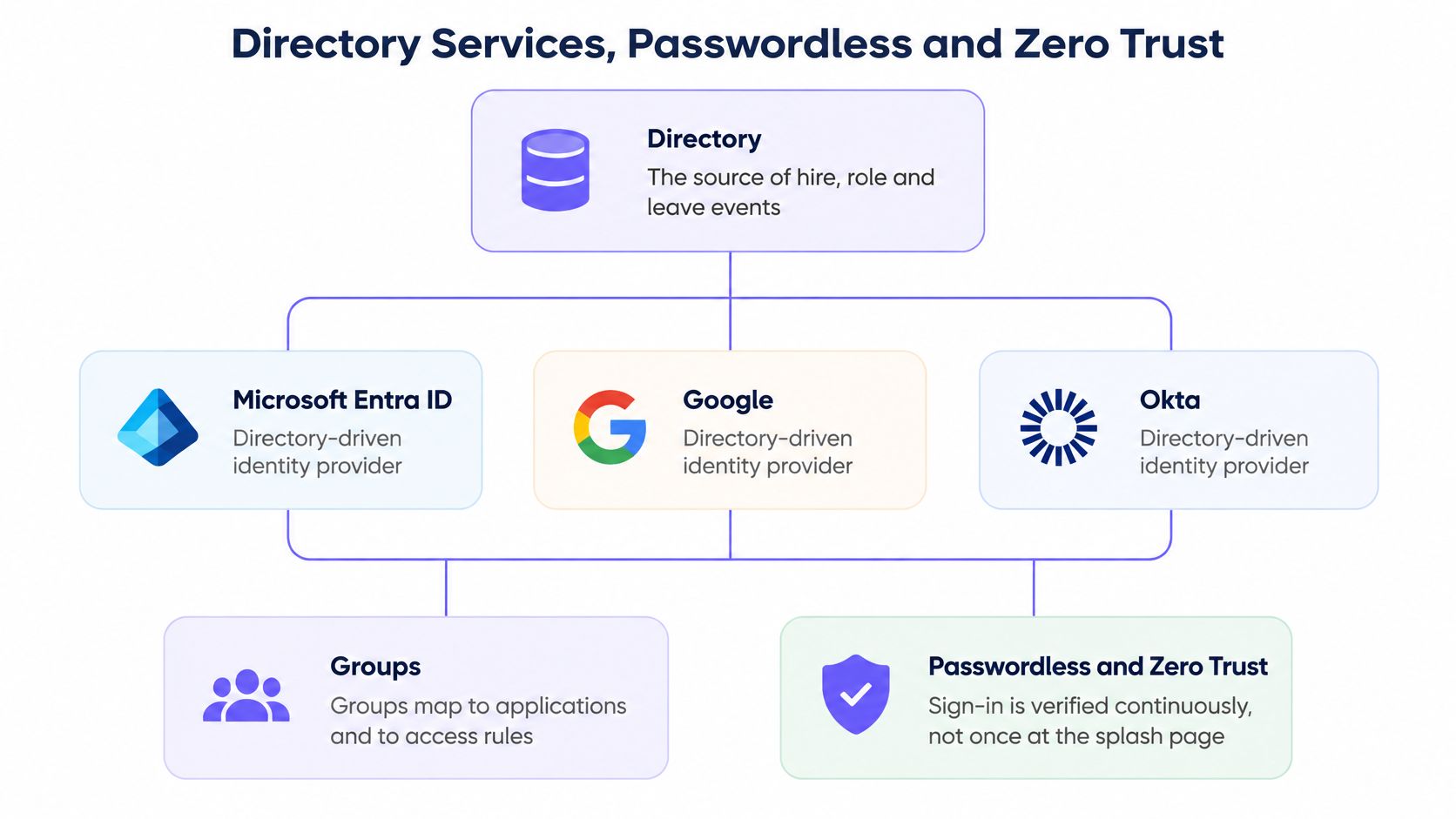
Passwordless changes the first factor. It doesn't change the federation protocol. Passkeys, certificates or platform authenticators replace the shared secret. SAML or OpenID Connect still carries proof to the app. Staff WiFi can demand a certificate so a stolen password alone never joins the LAN.
The UK passwordless-authentication market generated estimated revenue of US$1,276.8 million in 2024, according to Grand View Research. Spend at that scale doesn't mean every app is ready. Computing's 2026 research surveyed 104 UK IT leaders and found that 50% reported using passkeys for at least some applications. The split was uneven: 4% used them across all apps, 18% across a few apps, and 28% across many apps.
Partial adoption is the normal estate, not a failed project. Plan the leftovers on purpose.
Once the directory is the source, conditional access can refuse a token even when the password or passkey was correct. Typical gates are a managed device, a compliant posture, or a known location. Admin roles should step up, with a shorter session than a standard user reading email. Set the session lifetime to the venue. A personal laptop in a locked office can hold a longer session than a shared terminal on a ward.
Revocation has to travel. Disabling the user should invalidate SaaS refresh tokens and the wireless profile, not only the browser tab they have open. Test that path with a real device, because a profile that cached access will keep working until something explicitly kills it.
Three awkward cases belong in the design, not in a footnote.
Two employers. A clinician on a bank contract and a substantive post may have two directories. Pick which IdP owns the building SSID, and don't merge the accounts because it is convenient for the helpdesk.
A personal phone on staff WiFi. If policy allows it, enrol a certificate or a managed profile. If policy forbids it, the SSID should reject the device even when the person knows their password.
A service account. An integration user that posts into an API must not use interactive SSO. Give it a scoped credential, no mailbox, and no path onto the wireless network.
Stack the work in this order. Directory first, so hire and leave are real events. Strong or passwordless authentication second, at that directory. Federation third, so apps receive proof instead of a copied password. Network policy last, so the SSID consumes the same groups and the same revoke signal. Reversing that order is how projects end up with a handsome splash page and a passphrase taped to the router.
A project manager can paste this list into a statement of work. Each line exists because a specific failure shows up in week two if you skip it.
The pilot is done only when a joiner gets access without a ticket and a leaver loses both the app and the network. If either of those still needs a human to remember a second system, the federation isn't finished.
Price the network after the identity decisions, not before. A splash page added on top of an unsettled directory becomes another password, which is the problem the client asked you to retire.
Settle three points this quarter.
Name the populations in scope. Staff only is a coherent first phase. Guests, residents, or a staged mix are coherent too. "Everyone, somehow" is not a scope. Each population brings an identity you already have, or a gap you must fund.
Name the identity that already exists. A second portal login stacked on Microsoft Entra ID, Google or Okta usually adds friction rather than trust. Staff sign in with SSO through the Purple app using a certificate-based profile, with access on every device. Staff WiFi works with Entra ID, Google and Okta, and it uses WPA3-Enterprise with automatic device provisioning and revocation tied to the customer's identity provider, through the Purple app, with no shared passwords. If the client already pays for one of those directories, that directory should own staff admission.
Define done as a measured join and a measured revoke, not as a count of connected apps. Time a starter from "account enabled" to "on the staff SSID and in the two apps they need". Time a leaver from "account disabled" to "app session dead and wireless profile refused". Those two timings are the acceptance test.
Match the pattern to the answers. Staff access should use the customer directory, WPA2-Enterprise or WPA3-Enterprise, and revocation that fires when the directory account is disabled. No shared passphrase. Guests, visitors and residents stay on a separate journey: a one-time opt-in or a housing account, device isolation, and a fallback when there is no corporate login. Don't push those users through payroll-style SAML. They will abandon it, or worse, you will hand them a staff-shaped account to make the demo work.
Quote identity-based WiFi only when the client can name the directory, the populations, and the revoke path. If any of those three is missing, fix that gap before adding another splash page. The next action is small enough to schedule. Pilot a single staff SSID against one identity provider, and run a same-day leaver test before you price the rest of the estate.
Purple helps MSPs and integrators turn staff, guest and multi-tenant WiFi into access that follows a real identity, with provisioning and revocation tied to the directory the client already runs. If you are scoping a venue where one login must not be confused with strong security, see how we work with partners at Purple. Bring the directory name, the populations in scope, and the leaver test you want to run.
Join 80,000+ venues already running on Purple. No targets, no minimums, just bigger deals.