Distance for WiFi: How Far Your Network Really Reaches
Distance for WiFi depends on band, walls and access point placement, not one radius. See UK range benchmarks, a link budget method and practical fixes.

Compare the best wireless AP options for UK businesses by throughput, radios, security and management, with a vendor-neutral testing method.
The most popular advice about the best wireless AP is to compare Wi-Fi generations and buy the model with the highest advertised speed. That skips the decisions that determine whether users get a reliable connection: the condition of the wired network, the building layout, UK spectrum rules, performance under load and the work required to operate access securely. For MSPs and resellers, the right choice is the access point that solves the client's actual problem and can be supported over time.
There's no single best access point for every UK site. The right model depends on the building, the people and devices using it, the network behind it and the spectrum the AP can legally use.
The reason headline speeds matter less than they appear to is that the wireless network has to distribute the available connection across users, rooms and devices. A 1 Gbps broadband service won't provide 1 Gbps to every wireless client, especially through walls or in congested radio conditions. Ofcom-related figures cited in a 2025 policy submission show that 25 million UK homes, or 83% of households, had access to gigabit-capable broadband. Full-fibre adoption reached 35% of eligible households, or 7.5 million households, in July 2024, up from 28% in May 2023, according to the same Ofcom policy submission. As wired connections improve, the Wi-Fi inside the premises can become the bottleneck.
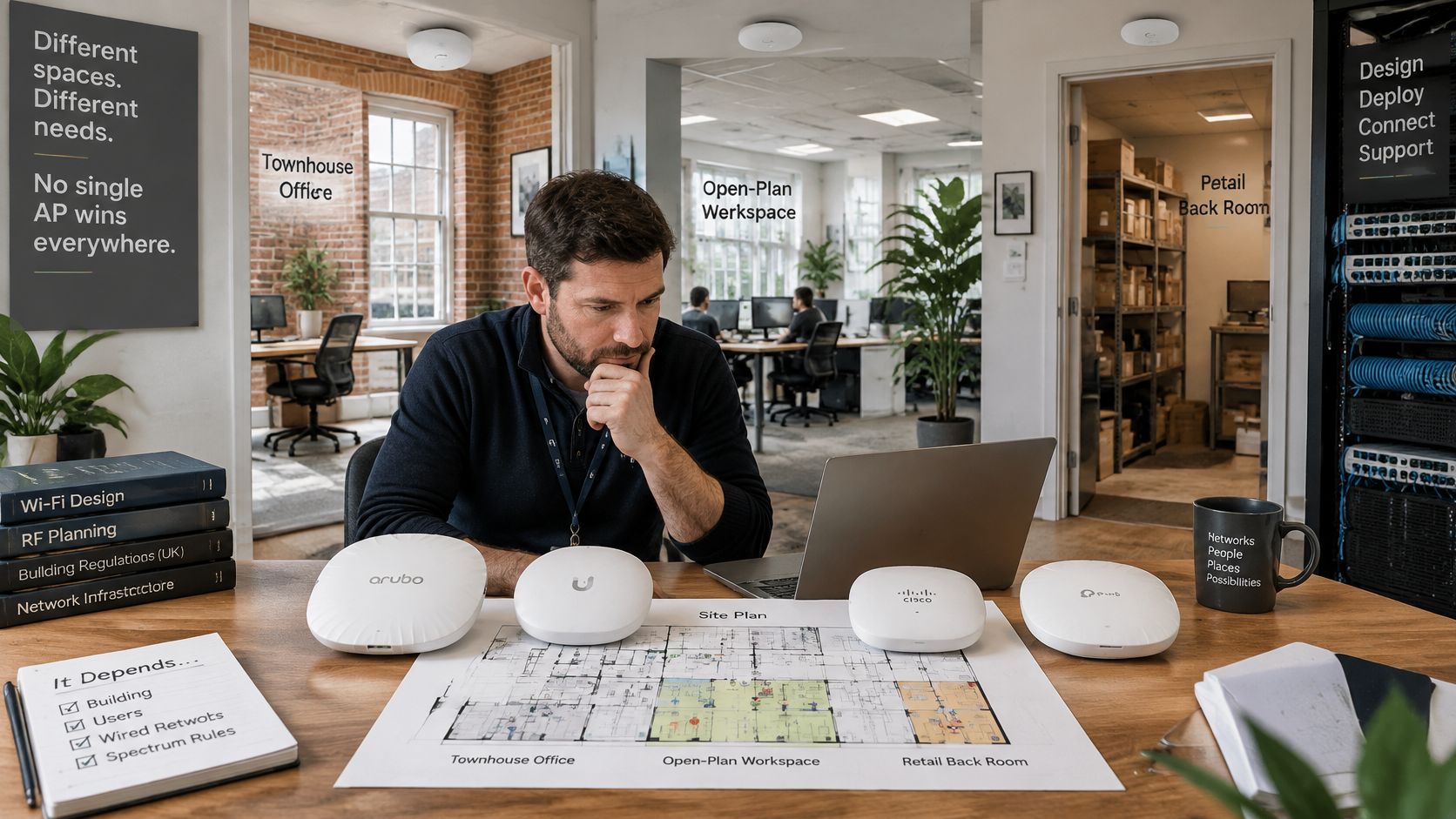
For a reseller, a model's peak rate is only one part of the decision. You're choosing hardware that has to fit the site, support its busiest periods and remain diagnosable as users, devices and applications change. A poorly placed premium AP can perform worse than a more modest unit deployed with a good channel plan and a properly sized wired uplink.
The practical approach is to compare AP classes by deployment, then check radio capabilities against UK rules and measure results with real clients. The sections below cover selection, testing, security and fault diagnosis, so you can make a shortlist based on outcomes rather than spec-sheet claims. Each section ends with a concrete check you can run.
Start with the type of site, then check that the management system and switch can support the AP class. This table is a shortlist, not a substitute for testing.
| Deployment | Minimum radio spec | Management model | Power |
|---|---|---|---|
| Small office under 50 users | Dual-band Wi-Fi 6 | Cloud or single controller | PoE from one switch port |
| Staff network with directory-based access | Dual- or tri-band Wi-Fi 6 | Cloud or controller with directory-based login | PoE+ switch port |
| Hospitality and guest venue | Tri-band Wi-Fi 6E | Cloud with guest onboarding and isolation | PoE+ switch port |
| Multi-tenant residential (student housing, hotel, MDU) | Wi-Fi 6 or 6E with per-unit SSIDs | Central cloud with tenant isolation | PoE+ per-floor switch |
| Dense office or education | Tri-band Wi-Fi 6E or Wi-Fi 7 | Central controller with fast roaming | PoE+ or higher, budgeted per switch |
| Outdoor or campus | Outdoor-rated unit approved for UK outdoor use | Controller with outdoor policy | PoE with surge protection |
A small office with mixed laptops, phones and printers can usually start with dual-band Wi-Fi 6. It's a sensible baseline where the client needs reliable everyday access, not a separate radio for every newer device. Confirm that the selected switch port can power the unit and that the management model matches the support arrangement. A cloud console may suit a distributed client estate; a local controller may fit a site with existing network operations.
Staff networks with directory-based access need more than a radio specification. Check that the access system can apply the client's identity policy and that the AP ecosystem can be managed consistently. Hospitality has a different emphasis: guest onboarding and isolation are central, and 6 GHz capacity is useful only if the guest devices can use it. Check the client mix before paying for tri-band hardware. A radio that most clients can't access won't deliver its expected benefit.
For student housing, hotels and other multi-tenant properties, prioritise per-unit separation and central administration. Adding radios won't prevent one tenant from reaching another tenant's devices if the network is configured as a shared flat network. In a dense office or education site, compare Wi-Fi 6E and Wi-Fi 7 against the client inventory and the controller's roaming and monitoring features. Outdoor or campus deployments need another check before purchase: confirm that the specific product and configuration are permitted for the intended outdoor use in the UK.
Read each row in the same order: deployment, radio, management, power. Then size the design for the busiest period, including phones, personal devices and shared equipment, rather than using staff headcount alone.
Quick check: Before ordering, list the client devices that need 6 GHz, confirm the controller can enable it and verify that the planned switch ports can supply the selected APs.
A radio specification tells you what an AP can support, not what a client will experience. Read the datasheet in the order the features affect a real deployment: bands, client handling, channel choices, uplink and form factor. Then verify that the model's UK regulatory settings match the installation.
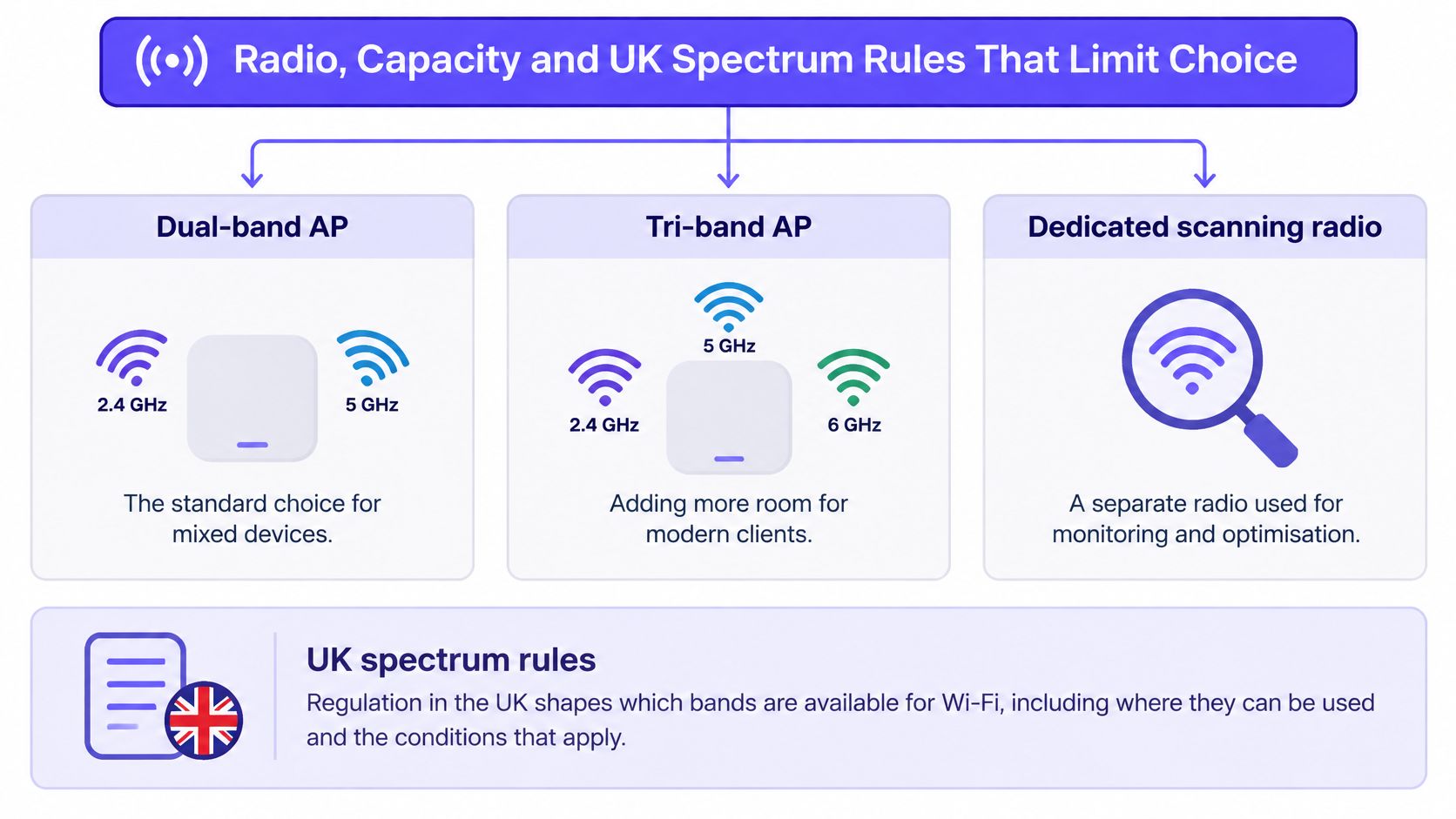
A dual-band AP serves clients over 2.4 GHz and 5 GHz. That remains a practical fit for mixed device estates, especially where many endpoints don't support newer bands. A tri-band model adds 6 GHz, creating another option for compatible clients and helping separate newer devices from busier 5 GHz airtime. A third band isn't an automatic capacity gain: clients must support it, the controller must enable it, and the AP has to be placed so that the 6 GHz signal reaches the users who need it.
Some enterprise APs also include a dedicated scanning radio. Because it monitors radio conditions separately, it can provide visibility without using the client-serving radios for every scan. That can help an administrator understand interference and channel use, but it doesn't make a weak client link strong. Before you pay for the feature, check whether your controller uses the monitoring data and whether the support team has a process for acting on it.
For a rough sense of why client count matters, see this guide to how many devices connect to the internet. At a site, inventory the actual endpoints, including personal phones and shared devices, and test what happens when they're active together.
Features such as OFDMA and MU-MIMO allow an AP to serve multiple clients more efficiently in supported conditions. They're most useful when many devices share airtime or send smaller bursts of traffic. They won't rescue a single laptop with a weak signal, a low-capability client or a poor path through a wall. Treat a vendor's concurrent-client figure as a claim to test, not a guarantee of useful performance.
Wider channels can increase peak rates for compatible clients, but they also consume more of the available radio space. In a dense office, a wide channel may leave fewer practical options for neighbouring APs and networks. A narrower channel can be the better trade when stable coverage and predictable capacity matter more than a high single-client result.
The wired uplink can impose its own ceiling. If several APs share a switch with limited uplink capacity, faster radios won't remove congestion upstream. Check the port speed, the path from the switch to the gateway and whether the switch has enough power budget for every connected unit. An AP that needs a higher PoE class can fail to perform as intended when the switch can't supply it consistently.
Ofcom states that the lower 6 GHz range has been available for low-power indoor Wi-Fi since 2020. Its rules distinguish indoor use from outdoor operation, which is restricted in parts of 5 GHz and across the lower 6 GHz band. Ofcom also reported approximately 350 fixed-link licences in the lower 6 GHz band and slightly more than 500 in the upper 6 GHz band as of 12 September 2024, so the spectrum must coexist with incumbent services. Check the precise band and deployment conditions against Ofcom's UK spectrum consultation.
For Wi-Fi 6E, verify that the AP supports 5.925–6.425 GHz and follows the UK low-power indoor limits. Ofcom sets the indoor maximum at 250 mW EIRP, while very-low-power outdoor use is limited to 25 mW EIRP, as described in its 6 GHz Wi-Fi statement. A product's global marketing figures may not be the permitted UK settings. Confirm the regulatory domain is set to the UK, 6 GHz is enabled in the controller and the relevant client devices support the band.
The AP's form factor should fit its location: ceiling units for open office areas, wall units where hospitality rooms need local coverage, and outdoor-rated equipment for campus environments. In the UK, don't assume an indoor model can be mounted outside. For an office, shortlist an indoor tri-band AP when compatible clients and density justify it. For a campus, check outdoor permissions before selecting hardware.
Practical check: Match the AP's UK regulatory domain, controller configuration and supported client bands before comparing the extra capacity promised by a tri-band model.
A quiet bench test on a single laptop will rank access points differently from a busy office floor. Treat testing as diagnosis: the aim is to find where each candidate fails under the site's real conditions before a rollout, not to confirm a datasheet. Vendor aggregate PHY rates, including headline figures such as 4.8 or 9.6 Gbps, describe combined radio capacity and say little about what one user receives at peak times. A UK access-point testing methodology recommends measuring throughput at different distances, latency, legacy-client behaviour and signal loss through walls, with enterprise tests adding channel use, retries, roaming and busy-hour application performance.
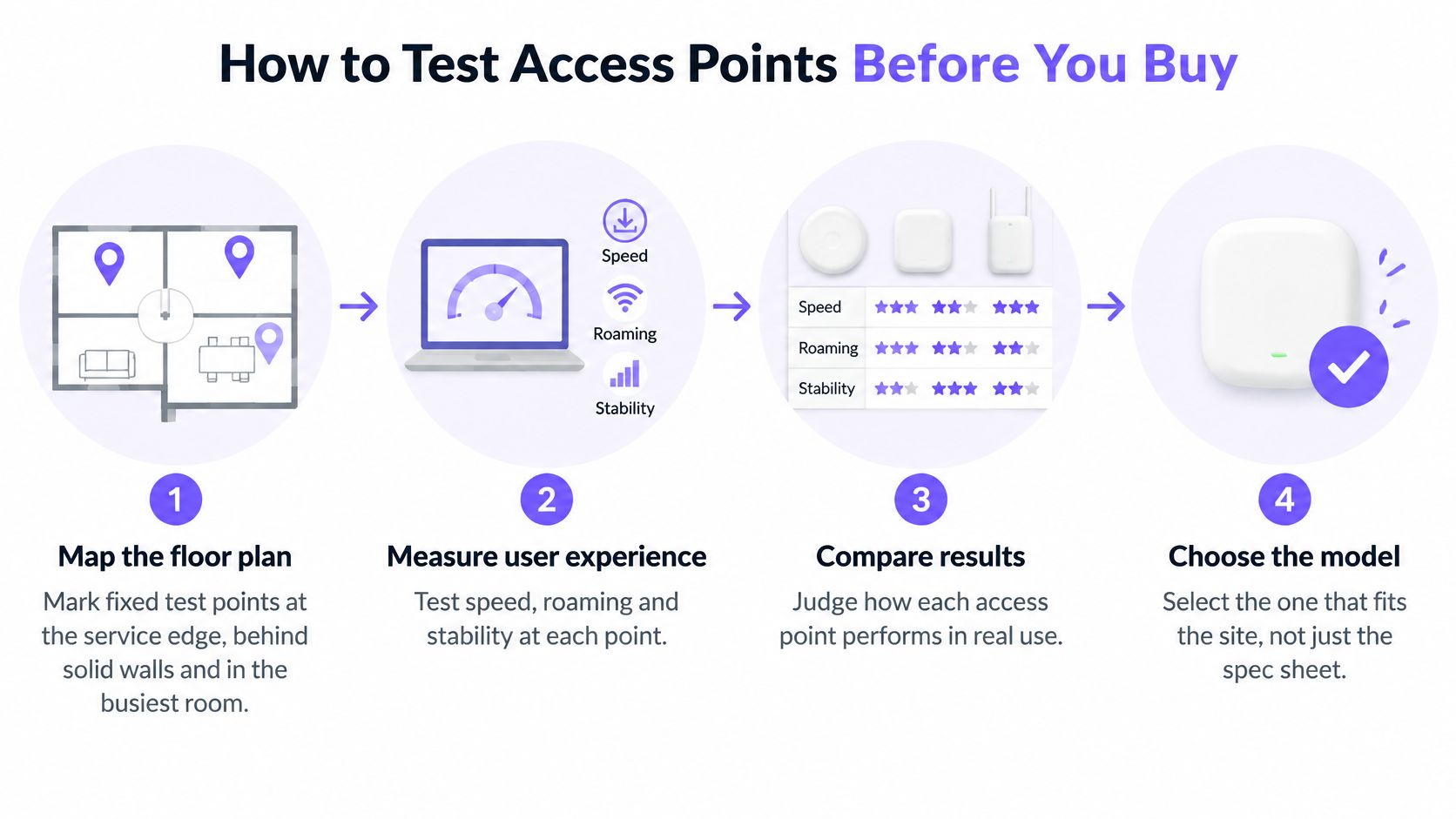
Map the floor plan. Mark repeatable test points in the busiest room, at the service edge and behind solid walls. Keep the points fixed between candidates so that one AP doesn't get a more favourable route.
Use matching client devices. Test each AP with the same laptops or phones, including a mix of 5 GHz and 6 GHz clients where the site uses them. Different client radios and drivers can change results, so comparing one AP with a new laptop and another with an older phone tells you nothing about the APs.
Record throughput at each point. Use the same route and time window, then repeat under concurrent client load. Record sustained per-client results, not just the fastest run or the AP's combined PHY rate. Note which devices are active so you can recreate the workload for each candidate.
Measure signal and noise. At the service edge, record RSSI and SNR, then note retries and channel utilisation. A practical target is approximately -67 dBm RSSI with at least 15–25 dB SNR at the edge. Those values help distinguish a coverage problem from a usable signal that's competing for airtime.
Time a roaming walk. Walk the same route between APs with an active call or application and record whether the session drops or stutters. Compare each candidate on the same path and with equivalent roaming settings. A fast AP that interrupts calls as staff move is a poor fit for a voice-heavy site, whatever its throughput looks like standing still.
Check latency under load. Run the same latency test during the site's busy period. For voice or clinical-grade applications, the reference target is roughly 20–50 ms. Record the result alongside user-facing symptoms, since a speed test alone will not show jitter or hesitation in a call.
Verify the wired path. Confirm the PoE budget, switch-port negotiation, VLAN assignment, DHCP, gateway reachability and uplink capacity. A fault in any of these can limit an otherwise capable AP, and a test that skips them will blame the radio for a cabling or switching problem.
Use the reference targets below as starting pass marks for a typical office or hospitality site, then adjust them to match the applications the site really runs.
| Metric | Reference target | Why it matters |
|---|---|---|
| Signal at the service edge | About -67 dBm RSSI | Sets where coverage stops being usable |
| Signal-to-noise ratio | 15–25 dB SNR | Shows whether the link can sustain higher rates |
| Latency for voice or clinical apps | 20–50 ms | Decides whether real-time traffic holds up |
| Sustained per-client throughput under load | Within about 20% of the best candidate under identical load | Shows user experience, not PHY rate |
| Roaming handover time | Under roughly 150 ms with no dropped session | Determines dropped calls when staff move |
| Busy-hour channel utilisation | Flag sustained use above about 50% at peak | Shows contention before users complain |
For a customer pilot, agree the pass criteria before installing test units. A shared framework can align customer POC success measures so the team isn't left debating results after the test. Capture the radio conditions with a Wi-Fi analysis tool and keep the findings with the site plan; a Wi-Fi analyser application guide can help teams choose a practical approach. The final record should contain one result per AP for each metric, gathered with the same clients, locations and routes.
A hotel can run staff laptops, visitor phones and long-stay residents on the same radios and still give each group a different access policy. The AP hardware is shared infrastructure; the risk sits in the account controls. A high-spec AP with weak identity management creates more operational exposure than a modest AP administered properly.
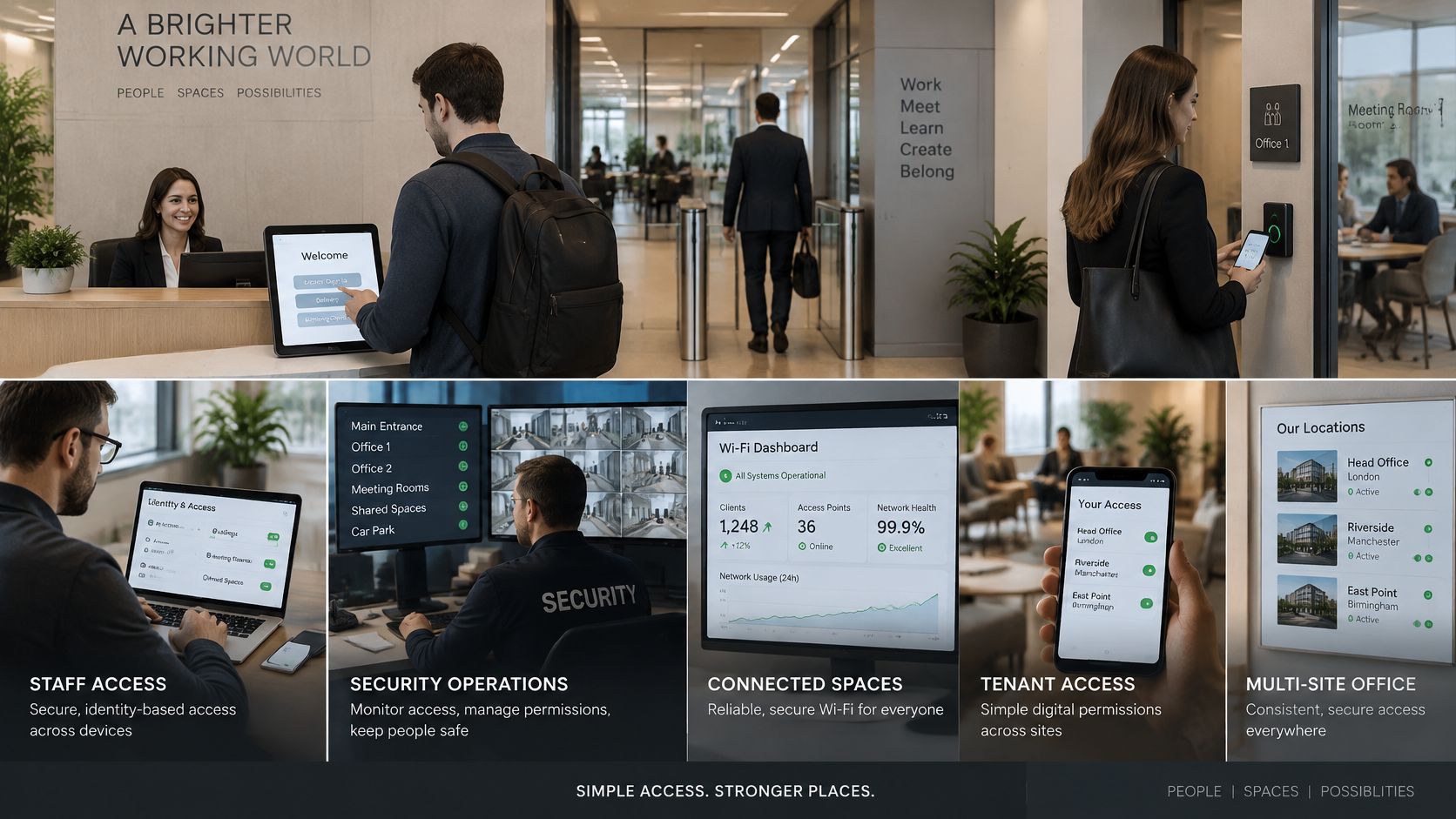
Staff need identity-based access. Shared passwords cannot be revoked cleanly when an employee leaves, and they make it impossible to say which user did what on the network. Use directory-linked credentials or certificates where the environment supports them, tie removal to the leaver process, and assign one owner for access policy. Check two things on any shortlisted platform: whether administrators can limit permissions by role, and whether the management interface is exposed to the internet.
Guests need isolation and simple onboarding. A visitor should connect without reaching staff systems or another guest's device. Check how the platform handles onboarding, isolation and logging, and confirm support staff can resolve access problems without handing out internal credentials. For serviced accommodation and hotel operators, connectivity spending also sits inside a wider per-stay cost picture that includes UK corporate accommodation cost factors, so guest Wi-Fi policy is worth pricing alongside those costs rather than in isolation.
Tenants need private access. In student housing, hotels and multi-dwelling buildings, a shared network where one resident can discover another resident's devices is no substitute for a private connection. Configure tenant separation so each resident gets an at-home-style network, and confirm the service team can onboard and offboard occupants without resetting everyone else's credentials. A central policy keeps the experience consistent across buildings instead of a manual process at every property.
The UK National Cyber Security Centre treats internet-connected wireless access points as in scope under Cyber Essentials, so management exposure, administrator access, patching and segmentation belong in the purchase decision rather than a post-installation checklist. Its Cyber Essentials IT requirements set baseline practices: change default settings, install updates promptly, use strong passwords and enable two-step verification where available.
Ask vendors how long each model receives updates, how administrators review logs and how quickly firmware can be applied across sites. A central console should support role-based access and make it easy to see which policy applies to which group. Where an organisation allows unmanaged devices, confirm where they land and what they can reach.
For MSPs and resellers, a hardware-agnostic cloud overlay gives a consistent way to run identity-based staff access, guest onboarding and tenant separation across mixed AP estates. Purple is one platform that delivers Staff WiFi, Guest WiFi and multi-tenant networking over existing wireless infrastructure; this guide to business Wi-Fi solutions covers the wider implementation choices.
Run this check: trace one staff leaver, one guest and one tenant through onboarding, access review and offboarding. If any step depends on a shared password or a manual clean-up with no named owner, fix the management design before rollout.
A slow Wi-Fi report doesn't prove that the AP is at fault. 34% of UK small businesses said poor connectivity affected productivity in 2024, according to Ofcom's Business Connectivity Report as reported by Compare the Cloud's UK small-office Wi-Fi guide. Some of that lost productivity traces back to the broadband service itself, and some to what happens between the WAN handoff and the client. Before replacing hardware, isolate the wired connection, the AP and the coverage area.
Start with a wired device on the same switch or network path as the AP. If it is slow too, investigate the WAN service, switch and uplink before blaming the radio. Next, test a Wi-Fi device close to the AP, then test it at the edge of the premises. That sequence separates upstream capacity from AP performance and signal loss. A wired test that passes alongside a wireless test that fails points at the radio, placement or client mix. A wired test that fails points at the service or LAN, and no AP choice fixes that.
| Symptom | Likely bottleneck | First check |
|---|---|---|
| Fast on a wired port, slow over Wi-Fi | AP radio, placement or client mix | Test the same device at close range and at the edge |
| Slow for everyone at the same time | WAN, uplink or switch capacity | Run a wired test and check uplink use at peak |
| Drops at the edge of the premises | Wall loss or AP spacing | Measure RSSI and SNR at the edge |
| Calls break when moving between rooms | Roaming settings or channel plan | Check roaming thresholds and SSID settings |
| Slow after a reboot or PoE change | PoE budget or switch port negotiation | Confirm port speed and PoE class |
| Only some devices are slow | Legacy clients or no 6 GHz support | Check which bands each device uses |
A channel change or a better AP position may be a quick fix when interference or placement is the issue. If the wired test is also poor, changing channels will not resolve the underlying fault. Rewiring, correcting a switch configuration or upgrading an uplink takes more planning, but it addresses a limit that a new radio cannot remove. The same applies to a PoE port that underpowers the AP: the fix sits in the switch budget, not in the radio.
If the wired path is the bottleneck, replacing the AP only changes the hardware on the wrong side of the fault.
Ten-minute check: Compare a wired test, a close-range wireless test and an edge-of-site wireless test on the same service. Record where performance first falls away, then investigate that part of the path before approving a replacement.
Choose two or three APs that suit the deployment, meet the site's security requirements and can be powered by the existing or planned switches. Don't select the winner on specification alone. For staff who move between rooms, weigh roaming behaviour heavily; for a guest venue, prioritise onboarding and isolation; for a multi-tenant property, test the tenant experience; for a campus, confirm that the product is approved for the intended outdoor use.
Pilot the shortlist on one floor or one representative site. Use the same clients and test route for each candidate, then compare the results against the agreed service requirements. If the pilot shows that a wall layout, cabling, or uplink is the actual limitation, keeping the existing APs and fixing that constraint is the better decision. Buying new radios won't make a weak wired path reliable.
Once the pilot passes, standardise the configuration and document it. Keep a spare of the main model, budget switch power with headroom, set a firmware policy and record the expected support lifetime of each AP. For a multi-site estate, use one repeatable configuration template wherever the hardware allows it, and make sure the support team can apply the same identity and access rules across locations.
Partners can also use a hardware-agnostic cloud overlay to apply consistent identity-based access across different AP environments, so reporting and offboarding don't become separate manual tasks at each site. If you work with a partner platform, check what enablement, training and support are available before committing to a rollout model.
Run the pilot within the next month. Record the per-client results, roaming behaviour and operational checks, then choose the AP that meets the site's needs at a supportable scale. A disciplined pilot protects the customer from paying for capacity they can't use, and gives your team clear evidence for the final recommendation.
Purple helps partners deliver identity-based Staff WiFi, Guest WiFi and multi-tenant networking over existing access-point infrastructure. Visit Purple to explore its partner resources and see how a cloud-based access layer could fit your next client deployment.
Join 80,000+ venues already running on Purple. No targets, no minimums, just bigger deals.