Captive portal login explained for partners
Captive portal login, explained for partners: authentication flow, security and privacy limits, failure fixes, and when to drop the splash page.
Learn what SD WAN management involves, from orchestration and policy to monitoring, security and vendor selection for UK managed services.
A branch manager messages you at 16:40. Voice calls are chopping, the till is slow, and the second broadband line has been unreliable all week. Your console still shows three green links. Nobody on the account owns the policy that should have moved voice off the bad path, and next month's report will not show whether the service level was met.
That is the gap SD-WAN management is meant to close. It is not a prettier picture of the routers. It is the operating model that decides which path each application uses, who is allowed to change that decision, and what evidence you hand the customer every month.
I would treat a green tile as a claim, not as proof. What follows is how an MSP turns that claim into named owners, written thresholds, and a pack you can defend in a review.
At a branch with two broadband lines and a 4G backup, voice quality can fall while the till and other applications keep working. SD-WAN management gives the network a way to respond: it applies traffic policy across the available links, monitors whether the chosen paths meet requirements, and records changes centrally. If the voice policy steers calls to a healthy path, the branch can continue working without staff diagnosing the circuit.
The value depends on evidence, not just automatic steering. A log should show what changed and when; service reporting should show whether the path met its agreed performance thresholds. Without both, an MSP may restore service but still be unable to demonstrate what happened during the incident.
The UK access market has shifted underneath that model. Ofcom's Communications Market Report 2025 reported that, at the end of 2024, fibre technologies provided 73% of UK broadband connections. Full-fibre connections increased by 56% during 2024, reaching 8.8 million lines, while fibre-to-the-cabinet connections declined by 1.9 million to 12.5 million.
Sites may combine different types of access, and others are still transitioning. A single design will not fit every branch: available links, applications, and business priorities vary. Management must account for those differences and provide evidence that traffic was steered according to the intended policy.
That operating model spans seven jobs: making and recording changes, defining policy, measuring performance against thresholds, ordering troubleshooting, controlling access to the management plane, delivering the service across multiple tenants, and assigning responsibility before the contract is signed. Each needs an owner and evidence the MSP can use in its monthly service review.
Practical rule: If a provider's layer only displays status and cannot push a change or prove it landed, it is a dashboard, not management.
Five jobs sit under the console. Miss one and the others cannot do their work. Orchestration is the sheet music: one template, every site, every change written down. Policy is the arrangement, deciding which part plays on which path. Monitoring is the audience check, hearing loss, latency, jitter and utilisation. Troubleshooting is the sound engineer, finding whether the fault is the instrument, the cable or the room. Security is the locked studio door.
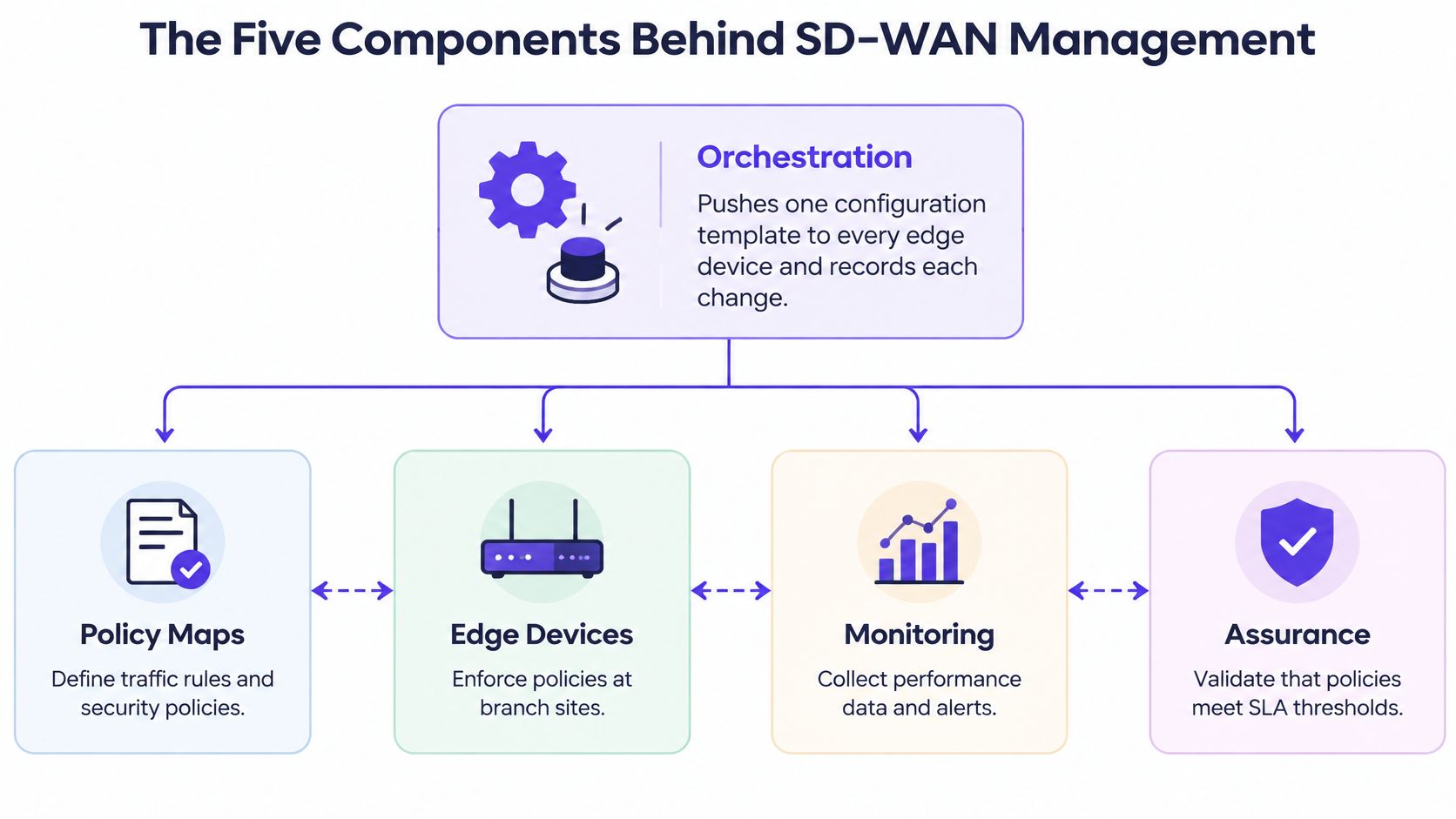
| Component | Core job | Usually owned by | Question it answers |
|---|---|---|---|
| Orchestration | Pushes one configuration template to every edge device and logs changes | Platform or NOC team | Is every site running the same intended configuration? |
| Policy | Maps applications to paths, priorities and breakout rules | Network architect | Which traffic goes where, and why? |
| Monitoring | Measures loss, latency, jitter and utilisation on each path | NOC | Is the service meeting its SLA right now? |
| Troubleshooting | Separates faults in the edge device, carrier link or cloud application | Service desk and NOC | Where exactly is the fault? |
| Security | Enforces segmentation, encryption and administrator access | Security team | Who can change what, and how is it recorded? |
The common mistake is treating the dashboard as the management layer. Tiles show state. Orchestration and policy are where a change is made, and where a bad edit spreads to every branch in one push. Monitoring only proves the change afterwards. Troubleshooting only matters once you can tell a local edge fault from a carrier fault from a slow cloud application.
Each row needs a named owner. A platform team that pushes templates without an architect who owns policy will drift. A NOC that watches graphs without a security owner on admin access will miss the change that should never have been allowed. Addressing plans on the underlay still matter here, because mixed branches often run both protocol families, and a template that ignores that split creates drift you will chase for weeks. The practical split between the two is set out in this guide to the difference between IPv4 and IPv6.
On any vendor demo, ask two questions. Which component pushes a change to a site, and which component proves the change worked? If the answer is "the dashboard" for both, walk away.
Start from classes, not from a single tunnel health score. These figures are starting defaults you write into the contract and then confirm with the customer. They are not a national benchmark.
| Application class | Jitter target | Packet loss target |
|---|---|---|
| Voice and video | under 30 ms | under 1% |
| Business SaaS | looser than the voice target | under 2% |
| Bulk file transfer | not applied | under 2% |
Voice and video get the tight jitter and loss limits because a chopped syllable is what the branch hears. Business SaaS can tolerate more jitter, so you set that limit above the voice target in the same contract rather than copying the voice number. Bulk transfer is throughput work. Jitter is not the constraint, and a loss target around under 2% is enough to catch a path that has gone bad without flapping every time a backup runs.
Measurement is continuous, not a poll you run when someone complains. A UK public-sector SD-WAN specification on Contracts Finder requires Bidirectional Forwarding Detection (BFD) on every path for packet loss, latency, jitter and path liveliness, then binds application policy to those limits. When a path exceeds a class's loss, latency or jitter limit, policy-based routing moves that class to another transport.
Packet loss is the congestion signal. Latency and jitter decide whether a call sounds right. A path can pass a ping and still ruin a video meeting.
The same specification requires per-edge utilisation, inbound and outbound bytes, and peak against average. That is how you catch a link that is full at 16:00 and idle at midnight, and how you justify an upgrade before the shop complains. If you cannot see peak against average, you will keep "fixing" applications that are only waiting behind a saturated underlay. A WiFi analyzer application belongs in the same evidence habit on the LAN side, so a slow till is not blamed on the WAN when the airtime is the queue.
For each customer, I would ship four numbers every month.
Add two operating KPIs beside that pack, reviewed with the customer: mean time to restore per incident, and change success rate from the audit log. If a provider cannot show per-path loss history for the last 30 days, the SLA cannot be verified. Do not sign a credit clause you cannot calculate.
Policy is written once and enforced at every site. Get the traffic classes right before you touch a device. A tidy template full of the wrong classes just fails everywhere at once.
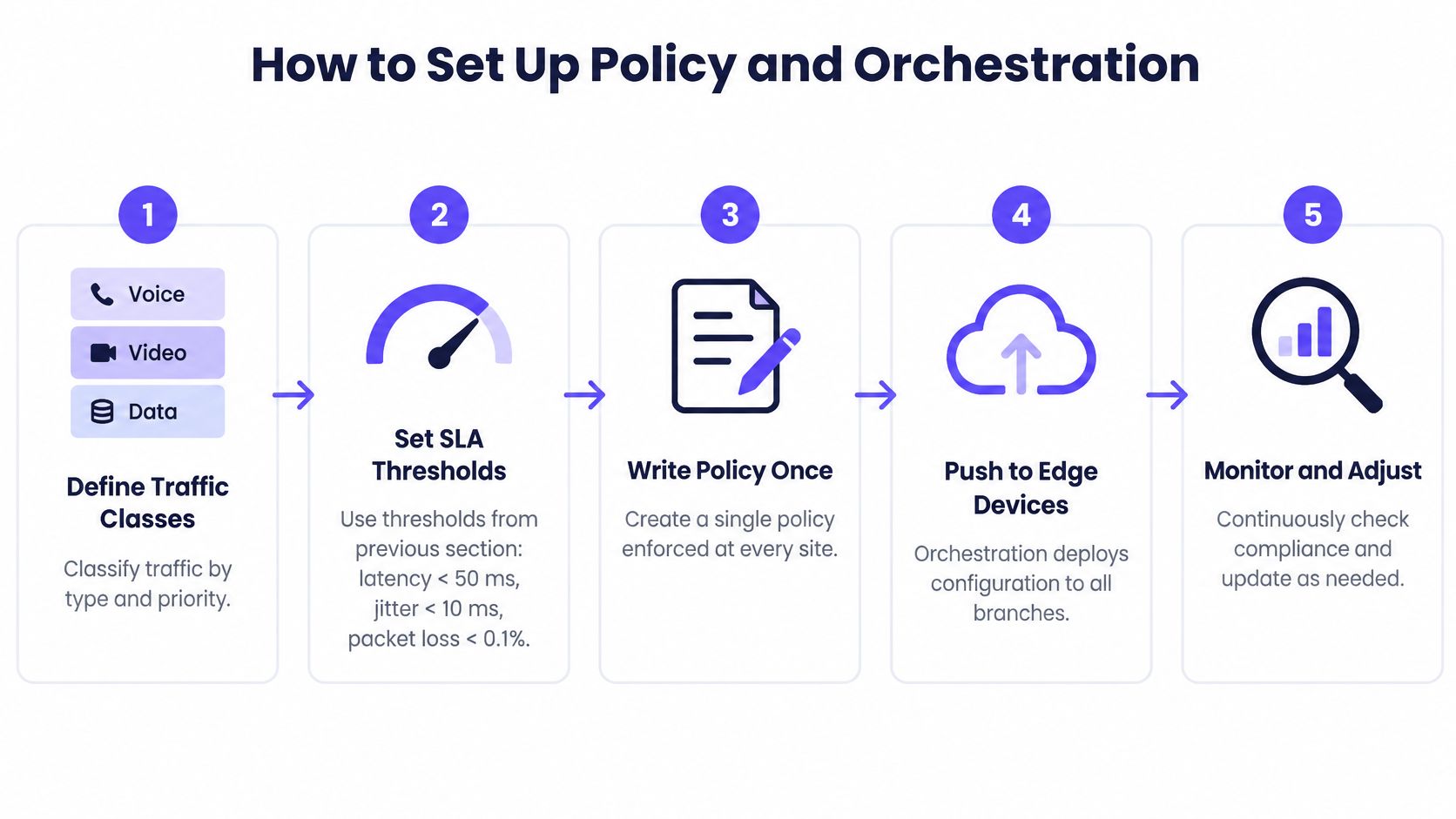
You finish with one policy note per class, one template per branch type, and a measured failover time in the pilot record. Anything else is a collection of devices that happen to share a logo.
If the pilot failover is slower than the business will tolerate, fix the class or the backup path before wave two. Do not discover it on a Saturday in a live shop.
The ticket you will see most often is calls breaking up at peak hours while the console stays green. Work the rows in order. Jumping to "the carrier" wastes a day, and jumping to "the cloud app" hides a saturated link.
| Symptom | Likely cause | First check | Usual fix |
|---|---|---|---|
| Calls break up at peak hours | Saturated link with no priority for voice | Peak versus average utilisation | Move voice to a lower-loss path or shape bulk traffic |
| One site slow, others fine | Carrier degradation on one underlay | Per-path loss and latency history | Fail over and raise a carrier ticket with probe logs |
| Constant path flapping | Thresholds too tight for normal variation | Event log and hold-down timers | Widen thresholds and add a hold-down timer |
| Cloud app slow after failover | Wrong SaaS breakout or asymmetric routing | Traceroute from the edge device | Correct the breakout rule for that application class |
| Configuration differs between sites | Manual edits made outside the orchestrator | Configuration drift report | Re-sync from the template and lock manual changes |
Confirm the policy matched the right class before you touch a circuit. A voice flow that landed in bulk will sound broken on a perfect path. Then open per-path loss and latency for the exact window of the complaint, not the daily average. Check utilisation for saturation, peak against average, on the path that class used. Only then test the carrier underlay. Configuration drift is last, because it explains a site that behaves unlike its twins, not a class that fails everywhere at 16:40.
A simple split saves argument with the carrier. If every path into one site degrades together, suspect the local edge device or its power supply. If only one underlay degrades, suspect the carrier and open the ticket with probe logs attached.
Re-applying a template, moving a class, or adding a hold-down timer is a minutes fix, done from the orchestrator. Carrier repair, a dead edge device and a redesign of the link mix take days or weeks. Say which kind of fix it is in the first update, or the customer will expect a template push to replace a digger.
Keep a before-and-after record for each fix: the metric, the time window, and what you changed. The next incident then starts from evidence. Without that note, the same peak-hour ticket gets diagnosed from scratch every month.
A stolen administrator login is not a single-site incident. One account can change routing and security rules at every branch within minutes, and the overlay will do exactly what it was told. Location on the corporate network is not a control. Treat the console as an attack target from day one.
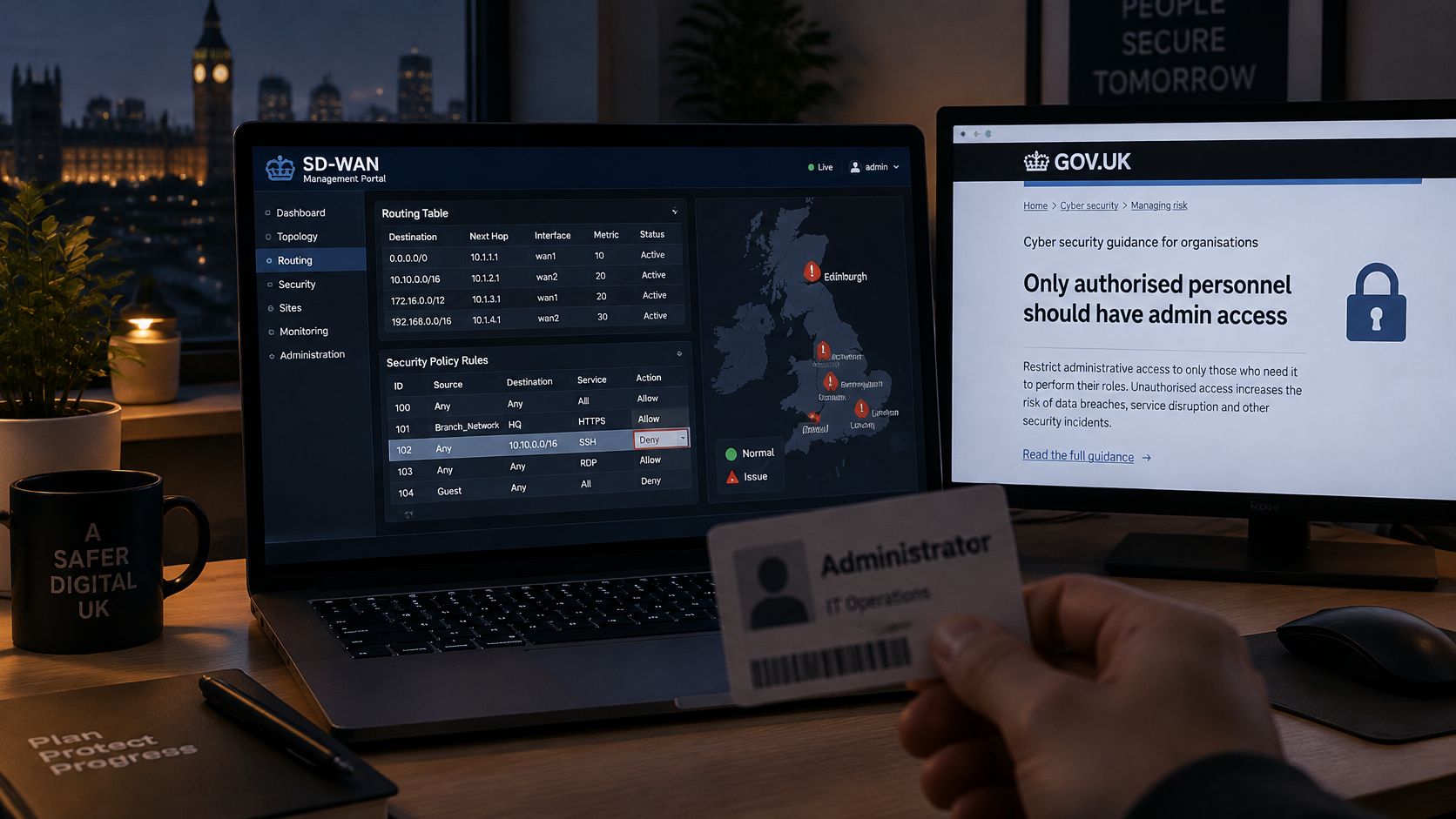
UK government guidance on network infrastructure in shared buildings requires authorised and authenticated devices before anyone reaches a management interface, recommends SSHv2 or HTTPS instead of Telnet, requires a unique management password on each device, and advises two-factor authentication on the management layer where possible. It also treats internal and external threats as continuously present, and expects traffic to be encrypted on the device or at the network entry point.
Management access is the building's master key. User traffic is a room key. No credential should open both.
The same habit belongs on the wireless side of the branch. Knowing which person and which device joined, and cutting that access when they leave, is what network access control is for. A WAN policy that is tight and a WiFi LAN that still uses a shared password is only half a lock.
I would not put a controller on a public address "just for the pilot". Temporary exposures are how stolen credentials become a fleet-wide change. If remote engineers need access, they come in through the proxy, with MFA, and the session is logged.
An MSP does not run one network. You run many customers on one platform, so tenant isolation, role-based views and per-customer reporting are the first filter. A product that looks strong in a single-tenant demo can still be the wrong tool once two customers share an orchestrator.
Score vendors against a short list, and drop any that fail the first three.
Red flags are blunt. No per-tenant audit log. Templates edited by hand. SLA reports that cannot be exported. Any one of those means you will be retyping evidence into a spreadsheet, which is how numbers get argued.
Ofcom's Spring 2025 Connected Nations update stated that gigabit-capable broadband was available to 25.9 million UK homes, 86% of the country's 30.2 million homes, up from 25.0 million homes, or 83%, in July 2024. That is about 900,000 more homes. The measure is residential, not a count of business branches, and about 14% of UK homes, roughly 4.3 million premises, were still outside gigabit availability.
Design every multi-site policy for that gap. Use 4G or 5G as backup, keep policy-based failover, and do not assume the second site matches the first. A template that only works on gigabit fibre will fail the warehouse on the edge of town.
SD-WAN chooses the path out of the site. Identity on the LAN is a different job. We deploy as a cloud-based overlay on the WiFi the client already has, and in most cases no extra hardware is needed, so staff, guest and resident access can sit on the existing access points while your edge still owns steering. Check that identity and access events can reach your SD-WAN and ticketing tools through an API. If they cannot, the NOC will keep two consoles and miss the join between a bad login and a bad path.
Run a two-site pilot. Compare the vendor's SLA report with your own probe data for the same week. If the two stories disagree, the platform is not ready for a managed service.
Automation removes the routine work and raises the grade of the work that remains. Someone still has to own policy, assurance and the moment an automated decision clashes with a security rule or a shop-floor priority. A technically neat overlay with no names on those decisions is an operational silo with a modern interface.
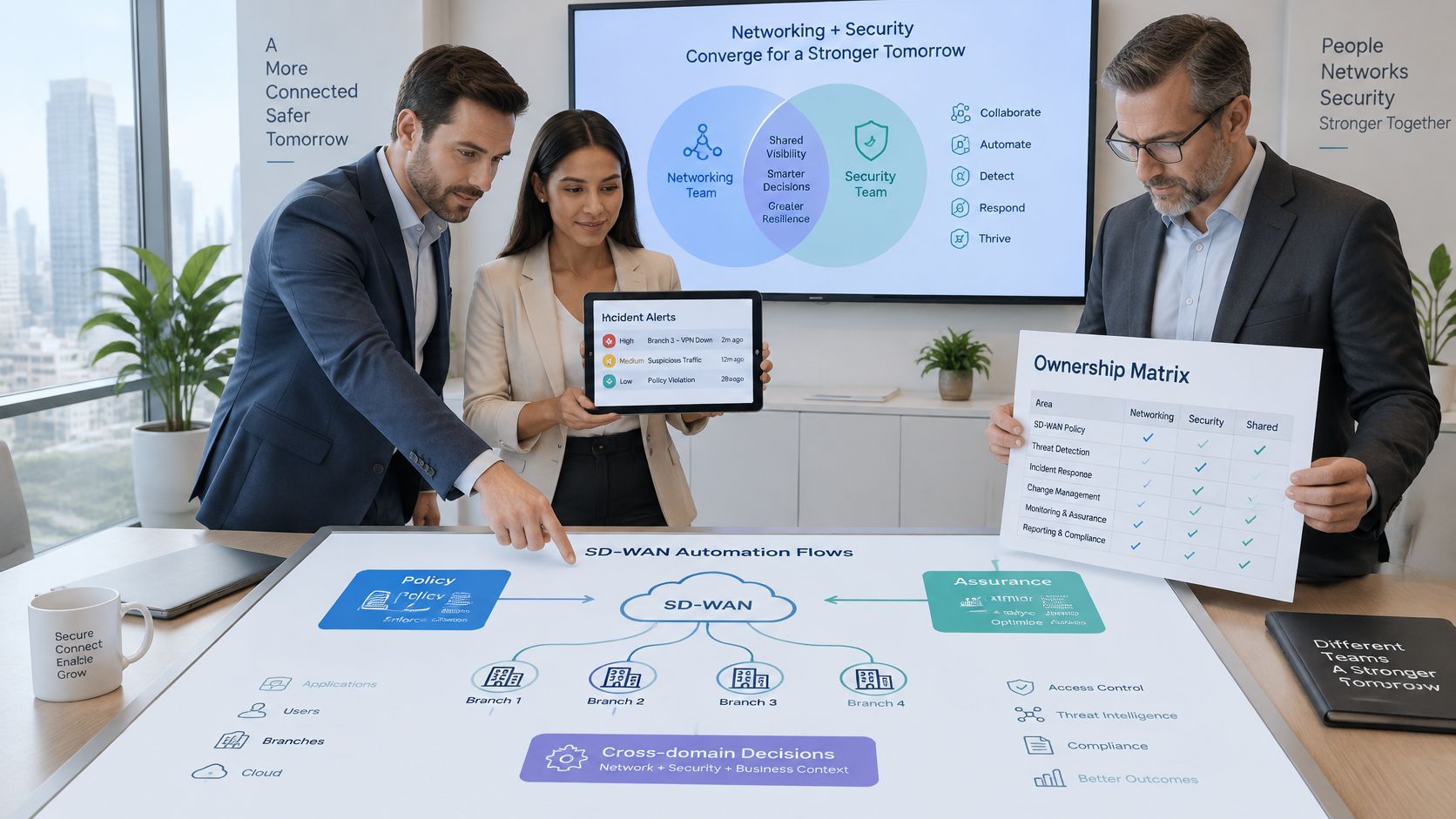
Buyers now expect networking and security as one managed service, with SASE, edge networking and AI-assisted operations in the same conversation. ISG, reported by Business Wire, identifies shortages of skilled subject-matter experts, programmers and NetOps professionals as a continuing UK challenge, while automation, predictive incident management and closed-loop assurance are becoming baseline expectations rather than extras. People who can own policy are scarce. That is why the matrix has to exist before you sign, not after the first 02:00 call.
| Decision | Single provider | Several providers |
|---|---|---|
| Who approves a policy change | One change board inside that provider | Your architect approves, each provider executes its slice |
| Who responds when a path fails at 02:00 | That provider's NOC, one number | A named coordinator who calls the right NOC |
| Who owns administrator identity | The provider's directory, with your MFA standard | You own identity, providers consume it |
| Who produces compliance evidence | The provider, from its own logs | You, from shared telemetry each provider must export |
| Who signs off the SLA report | The provider, you challenge it | You sign off, providers supply the inputs |
| Who overrides automation when it clashes with security or the business | A named duty manager at the provider | Your duty manager, with a written exception path |
A single provider makes escalation simple and concentrates risk. If that NOC is wrong, every site is wrong. Several providers spread the risk and demand a coordinator plus shared telemetry, or the 02:00 call becomes a conference that nobody owns.
Require audit logs, probe data retained for the whole contract period, and a written exception process for when automation and a business priority disagree. Predictive tickets do not replace that process. They only arrive faster.
We run Purple Partners as the channel programme for resellers, MSPs and systems integrators who sell identity-based WiFi alongside this kind of managed network. Partners get reseller training, an enablement portal with guides and resources, and a dedicated support team, so the LAN identity work has an owner in the same way the WAN policy does.
Complete the matrix for your own organisation, pilot it at one site, and only then sign. A contract that cannot name the 02:00 owner is not ready, however polished the demo was.
If your managed network stops at the WAN edge, the branch still has no reliable answer for who is on the WiFi. Purple gives MSPs and resellers identity-based staff, guest and multi-tenant access as a cloud overlay on the WiFi customers already run, so access, revocation and on-site identity sit next to the policy you already operate. Talk to the channel team at Purple and see how that layer fits the service you already sell.
Join 80,000+ venues already running on Purple. No targets, no minimums, just bigger deals.